Unit
A Unit (unit of measure) is used when declaring services/products, warehouse supplies and medicine — for example Piece, Box, Bottle, Kg, Liter. The software already ships with many common units, so in most cases you just pick from the ready-made list instead of typing each unit yourself.
Opening Unit
- Go to the System configuration screen (see Configuration overview), group System, click Unit.
- Faster way: type Unit into the quick search box at the top of the System configuration screen, then click the result.
Unit list
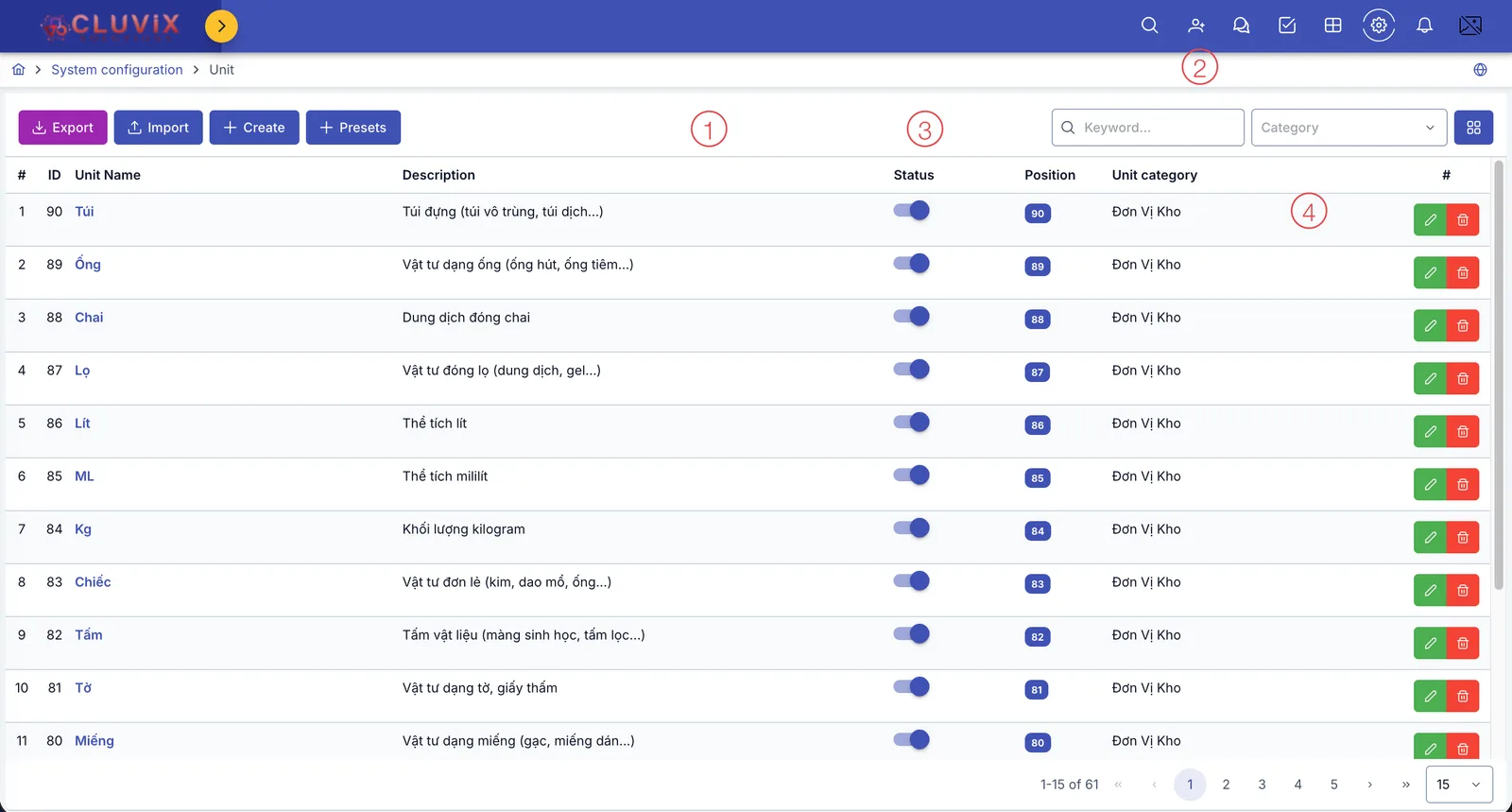
Screenshot of the Unit list
| # | What it is |
|---|---|
| 1. 4 buttons above the list | Export downloads the list to a file; Import brings in many units at once from an Excel file; Create manually declares a brand-new unit; Presets quickly picks several units from the software's ready-made list — the recommended way, see the guide right below. |
| 2. Filter | Type a keyword or pick a Category to quickly filter through the 61 built-in units (plus any you've added yourself). |
| 3. Status column | An on/off toggle — turning it off makes the unit unavailable everywhere else. |
| 4. Buttons at the end of each row | Pencil to edit, trash can to delete that unit. |
The Unit category column shows the raw Vietnamese name (e.g. "Đơn Vị Kho") even on this English page, instead of the translated "Warehouse unit" — this is how the app currently displays it.
Way 1: Pick from the ready-made list (recommended)
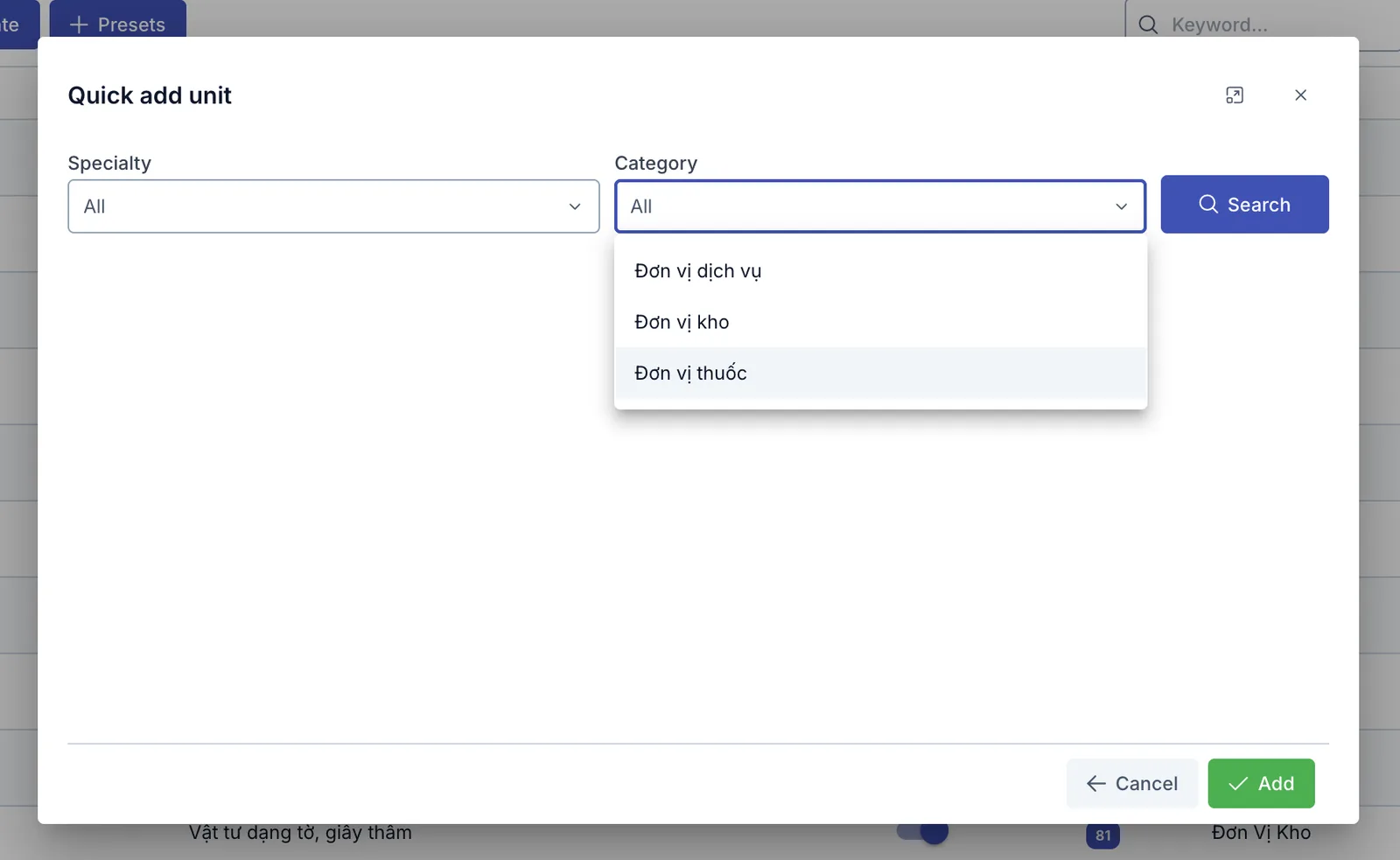
Screenshot of the Quick add unit dialog
- Click Presets.
- Pick a Specialty to filter by the specialty you use — leave it empty for All.
- Pick a Category — Service unit / Warehouse unit / Medicine unit — leave it empty for All too.
- Click Search. A list of suggested units appears, all pre-checked.
- Uncheck any units you don't need, or use Select all at the top to check/uncheck everything at once.
- Click Add (with the selected count) to create every checked unit in a single click.
If you're not sure which Specialty/Category to pick, just click Search with both fields empty — the full suggestion list appears for you to browse and check.
Way 2: Create manually
Only use this when the unit you need is not in the ready-made list from Way 1.
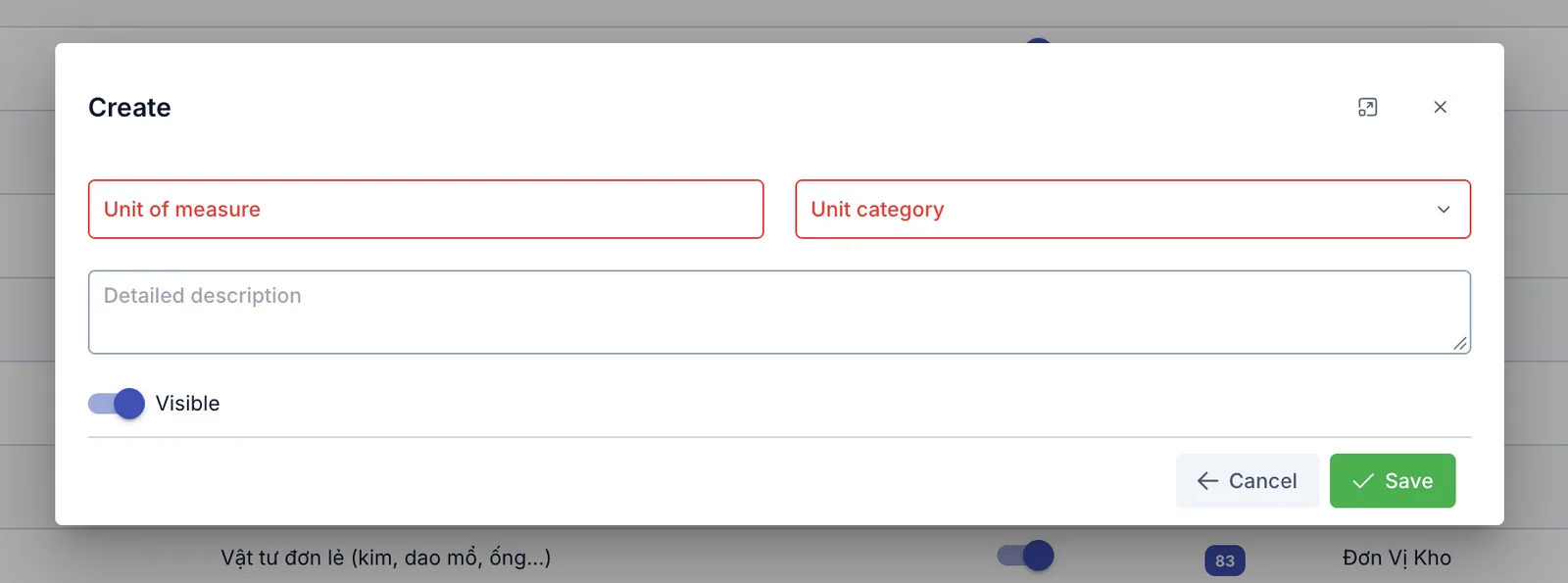
Screenshot of the Create unit dialog
| Field | What to enter |
|---|---|
| Unit of measure (required) | The unit's name, e.g. "Piece", "Box" |
| Unit category (required) | Pick one or more: Service unit, Warehouse unit, Medicine unit |
| Detailed description | Extra notes on what this unit is used for |
| Visible | Turn off to hide this unit from selection lists, without deleting its data |