Customer Source (Patient)
Customer Source is the catalog of channels a customer can come to the clinic through — Website, Zalo, Facebook, Referral, Event… Every customer and every appointment is tagged with one source, so you know where customers (patients) came from and which channel is bringing in the most.
Opening Customer Source (Patient)
- Go to the System configuration screen (see Configuration overview), group Marketing, click Customer Source.
- Faster way: type Customer Source into the quick search box at the top of the System configuration screen, then click the result.
Customer Source list (Patient)
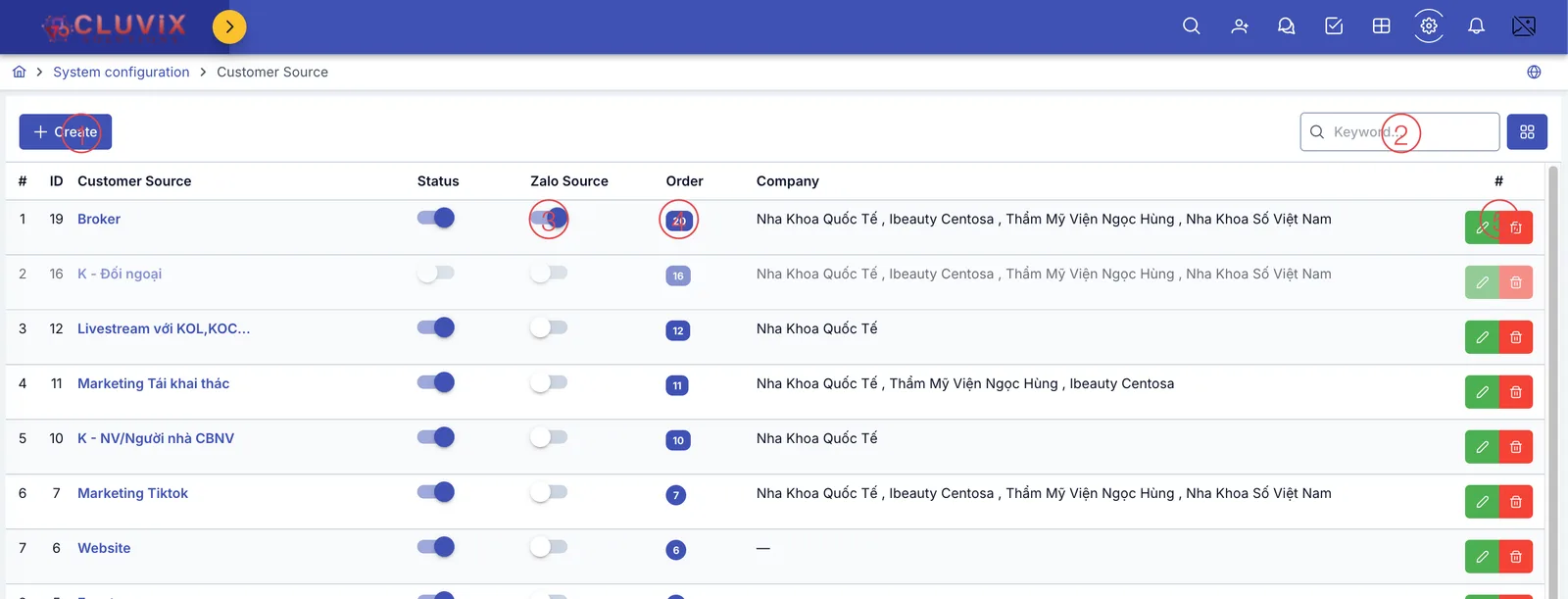
Screenshot of the Customer Source list
| # | What it is |
|---|---|
| 1. Create button | Add a new customer source. |
| 2. Search box | Type a source name to filter the list. |
| 3. Zalo Source column | A toggle — turn it on for exactly one source so the software auto-assigns that source to customers (patients) created from a Zalo OA conversation (see below). |
| 4. Order column | Display order number — a higher number places the source further up in picker lists, nothing else is affected. Click the number to edit it directly. |
| 5. Row action buttons | Pencil to edit, trash bin to delete that source. |
The Status column (on/off toggle) temporarily hides a source from picker lists without deleting it — same as other catalogs in Configuration. The Company column shows which brand(s) the source applies to; a dash (—) means it's shared across every brand.
When a new customer messages the clinic through Zalo OA and the software auto-creates a customer record for them (no prior record existed), it needs to assign a customer source to that record right away — it picks whichever source has Zalo Source turned on. Right now only the Zalo channel has this auto-assign behavior, so turn it on for exactly one source per brand (e.g. one named "Zalo").
Creating a customer source (Patient)
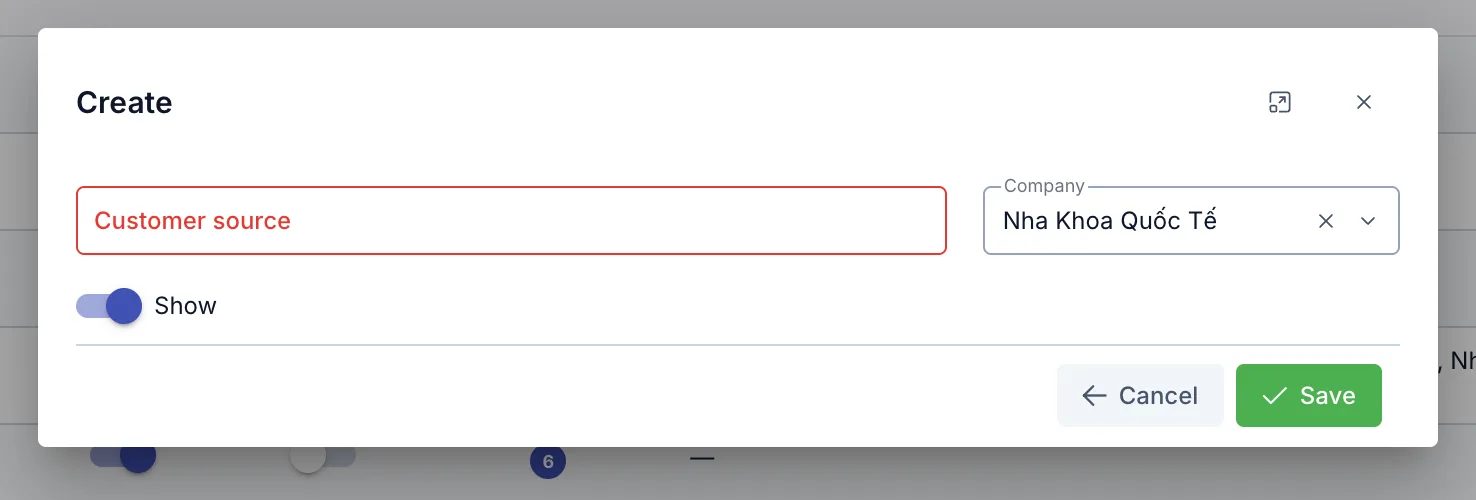
Screenshot of the Create Customer Source dialog
| Field | What to enter |
|---|---|
| Customer source (required) | The source's name, e.g. "Zalo", "Website", "Referral" |
| Company (required) | Pick one or more brands that use this source. Pre-filled with the brand you're currently working in by default |
| Show | Turn off to hide this source from picker lists, without deleting the data |
Where Customer Source is used (Patient)
- Customer: every customer has one source, recording where they first came from.
- Appointment: every appointment also has its own source — when an appointment is created, the software copies it from the customer's source, but you can change it right on the appointment if needed (e.g. a returning customer books through Referral, different from the source they first came in through).
- Customer source also feeds marketing reports, per-source KPI, and other screens related to customers (patients), orders and treatment.
Have many small sources of the same kind (e.g. several different Facebook campaigns)? Group them into one Customer Source Group to see combined numbers instead of each source separately.
Related
- Customer Source Group — group several sources together to report and set targets (KPI) at the group level.