Customer Source Group (Patient)
Customer Source Group rolls several customer sources into one group — for example a "Marketing" group containing Facebook, Zalo, Website, Event. One source can belong to several different groups at the same time, letting marketing view combined numbers per group and set more accurate targets (KPI) instead of manually adding up individual sources.
Opening Customer Source Group (Patient)
- Go to the System configuration screen (see Configuration overview), group Marketing, click Customer Source Group.
- Faster way: type Customer Source Group into the quick search box at the top of the System configuration screen, then click the result.
Customer Source Group list (Patient)
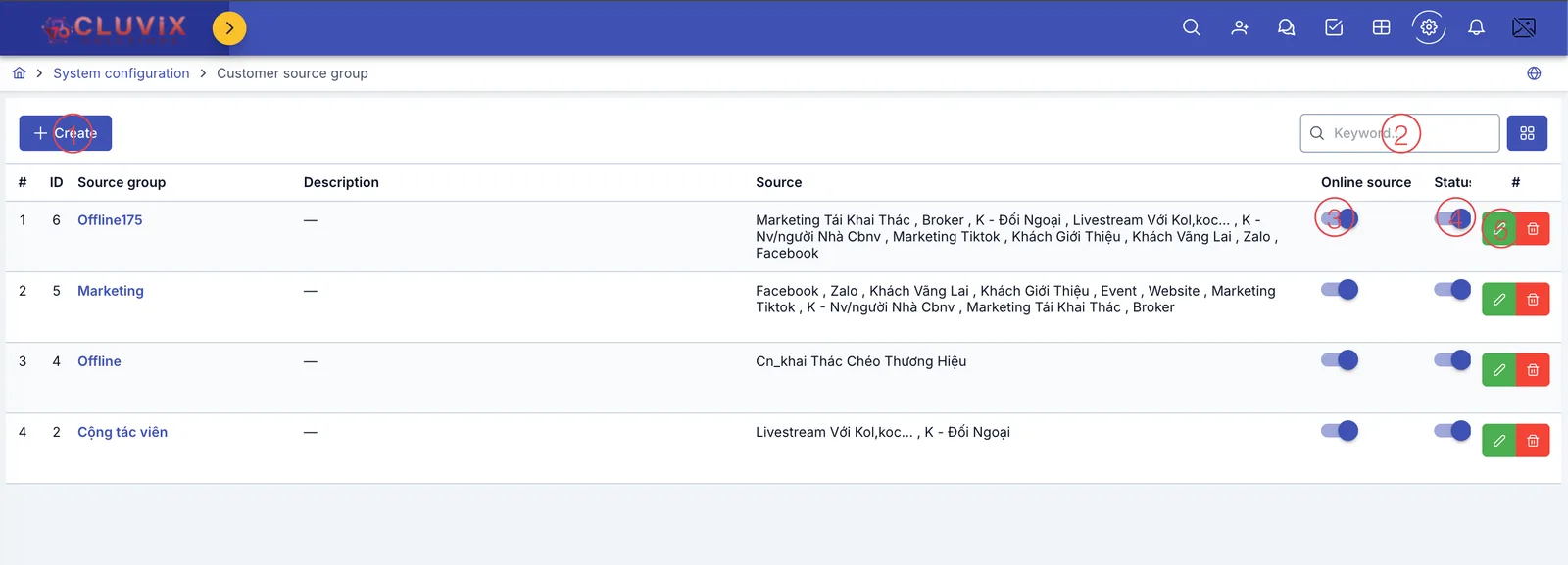
Screenshot of the Customer Source Group list
| # | What it is |
|---|---|
| 1. Create button | Add a new source group. |
| 2. Search box | Type a group name to filter the list. |
| 3. Online source column | A toggle you set manually for the whole group — on means this group represents online channels (Facebook, Zalo, Website…); off switches the column label to Other source, for offline groups (referrals, events, collaborators…). The software does not compute this automatically from the sources inside the group — you choose it yourself when creating the group. |
| 4. Status column | On/off toggle — off hides the group from picker lists, without deleting the data. |
| 5. Row action buttons | Pencil to edit, trash bin to delete that group. |
The Source column lists the names of the customer sources that belong to this group. The Company column (scroll right to see it) shows which brand the group applies to.
The software currently lets you pick multiple brands when creating a group, but you should not — combined numbers at the group level can mix data across brands. Each group should be tied to exactly one brand; contact technical support if you need to share one across brands.
Creating a customer source group (Patient)
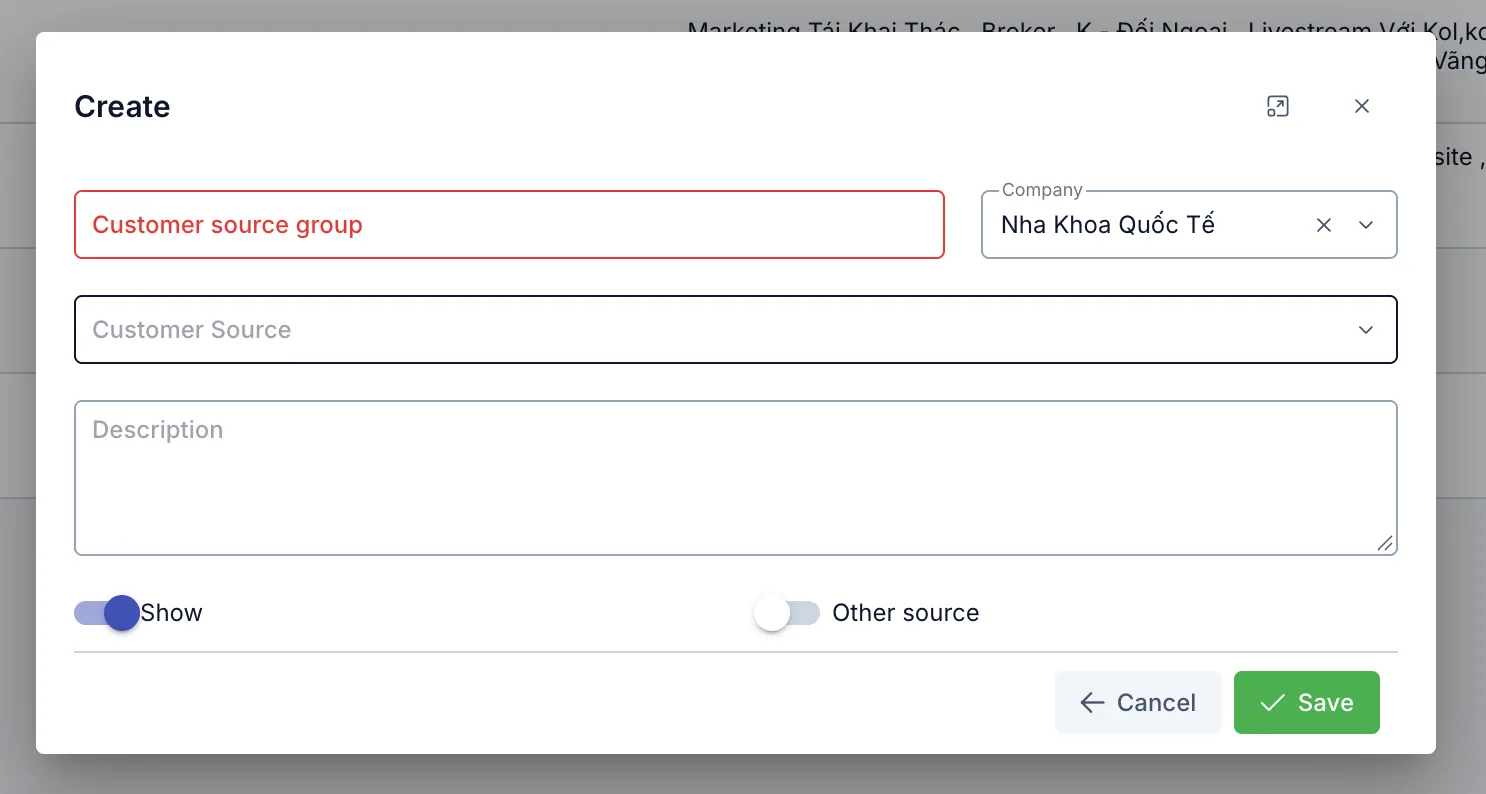
Screenshot of the Create Customer Source Group dialog
| Field | What to enter |
|---|---|
| Customer source group (required) | The group's name, e.g. "Marketing", "Offline", "Collaborator" |
| Company (required) | Pick the brand this applies to — pick only one (see note above) |
| Customer Source (required) | Pick one or more customer sources that belong to this group |
| Description | Extra notes about the group, optional |
| Show | Turn off to hide this group from picker lists, without deleting the data |
| Online source / Other source | One shared toggle — on shows Online source, off shows Other source, see the list explanation above |
Where Customer Source Group is used (Patient)
- Setting marketing KPI targets: when configuring a marketing KPI, you pick one or more source groups as the measurement target, instead of picking individual sources one by one.
- Marketing summary dashboards (revenue by source group, the lead → appointment → arrival conversion funnel...): numbers are rolled up per source group to make it easier to compare channel performance.
Related
- Customer Source — the catalog of individual customer sources used to build groups on this page.