Treatment category
A Treatment category classifies what each logged treatment session actually is — a real treatment session, a follow-up visit, or a warranty visit. The category picked decides whether that session counts toward the customer's treatment progress.
Opening Treatment category
- Go to the System configuration screen (see Configuration overview), group Clinic, click Treatment category.
- Faster way: type Treatment category into the quick search box at the top of the System configuration screen, then click the result.
Treatment category list
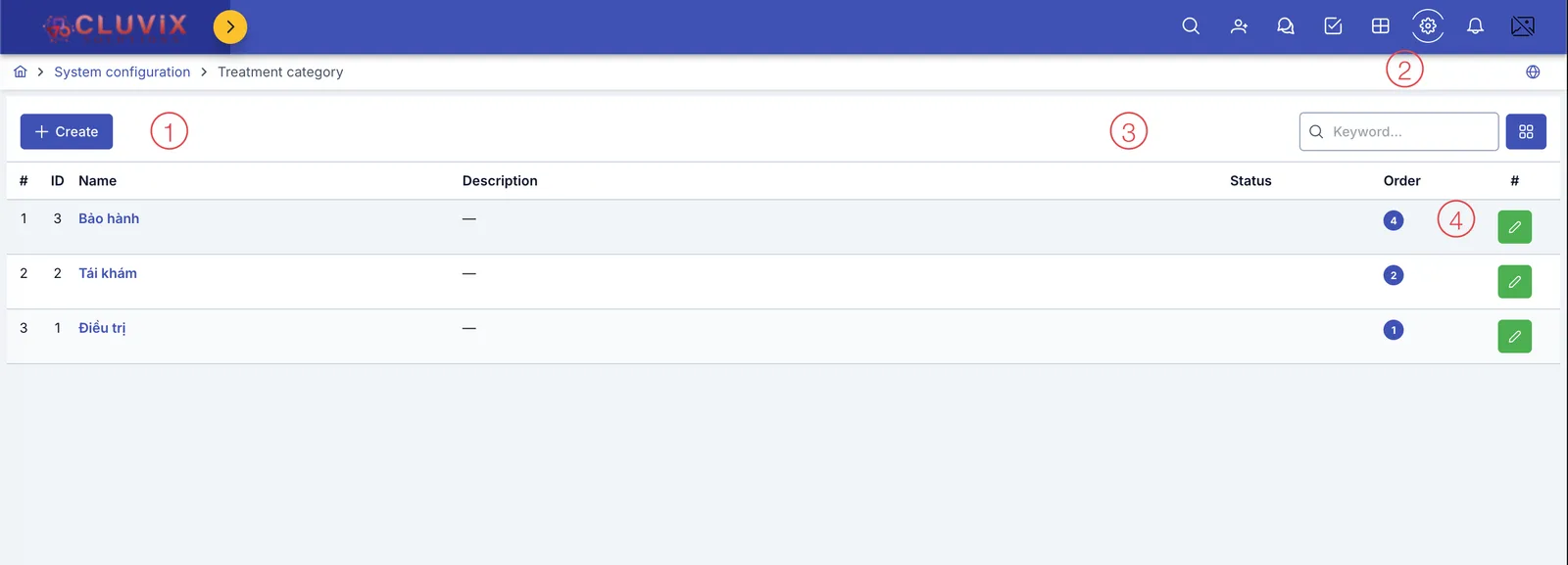
Screenshot of the Treatment category list
| # | What it is |
|---|---|
| 1. Create button | Opens the dialog to create a new category. |
| 2. Search box | Type a name to quickly filter the list. |
| 3. Status column | Only shows an on/off toggle for categories you created yourself. |
| 4. Buttons at the end of each row | Categories you created have both edit and delete buttons; the 3 built-in categories below only have edit. |
Điều trị (Treatment), Tái khám (Follow-up), Bảo hành (Warranty) are the software's 3 built-in categories — you can edit their name/description, but not delete or hide them, because several places in the software rely on exactly these 3 categories for their calculations.
Creating a treatment category
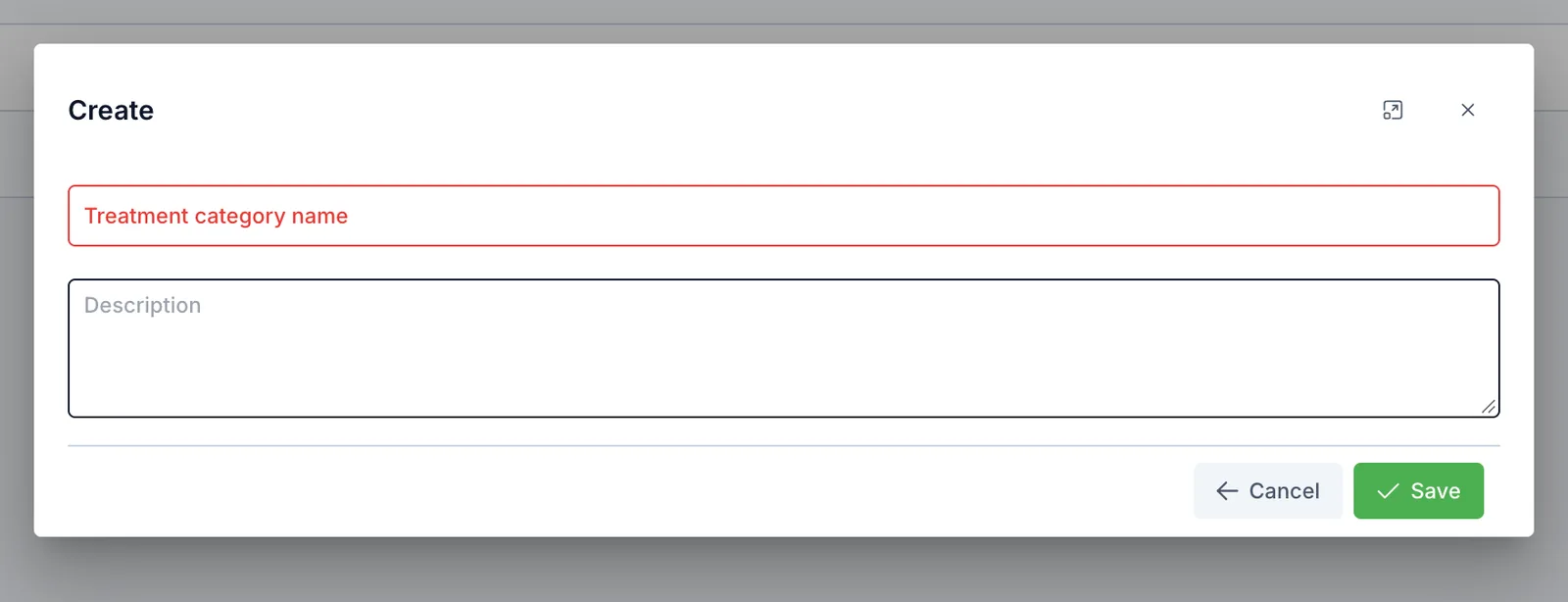
Screenshot of the Create treatment category dialog
| Field | What to enter |
|---|---|
| Treatment category name (required) | The display name |
| Description | Extra notes, optional |
The 3 built-in category names ("Điều trị", "Tái khám", "Bảo hành") stay in Vietnamese even on this English page — this is how the app currently displays them.
Which category counts toward treatment progress
When logging a treatment session, staff pick 1 category for that session. Only a session tagged Điều trị (Treatment) counts against Treatment progress (the number of purchased sessions, declared in Service / product) for that customer. Sessions tagged Tái khám (Follow-up), Bảo hành (Warranty), or any category you create yourself, do not count against that number.
A free follow-up visit after treatment, or a warranty visit — tag it Tái khám or Bảo hành so it doesn't eat into the customer's purchased sessions. Only tag a session Điều trị when it's a real session that should count toward the course.
Related
- Service / product — where Treatment progress (session count) is declared, the number the Treatment category counts against.