Check-in / Check-out
Check-in happens on the day of the visit: the customer walks in, the front desk clicks one button, and the whole clinic knows they are here and at what time. Check-out is the other end of the visit: the customer is done and leaves.
Unlike Confirm Customer (Patient) Arrival — the reminder call the day before — check-in records the real time, and the software fills that in itself; you never type it.
A visit goes through five statuses
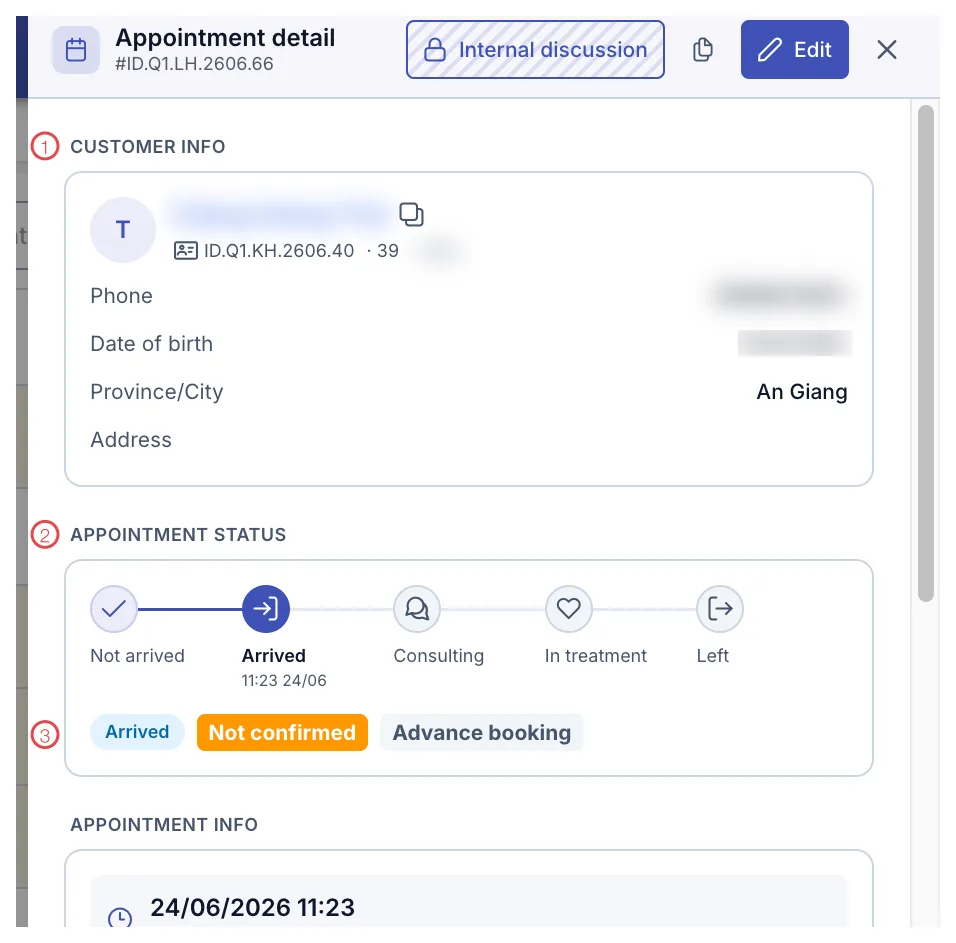
Illustration of the appointment status chain
| Status | When | Who sets it |
|---|---|---|
| Not arrived | Just booked, the customer is not here. | — (set automatically) |
| Arrived | The customer is at the desk. | Front desk |
| Consulting | The customer is with a consultant or doctor. | Consultant, doctor |
| In treatment | The service has started. | Doctor, technician |
| Left | The customer is done and leaves. | Front desk |
Every change records the time and the person in the Action history of that appointment.
Check-in: recording the arrival
Go to CRM › Appointment list (it opens on today by default), find the customer's row and click the orange ◉ button — position 2 in the picture; hovering shows "Arrived".
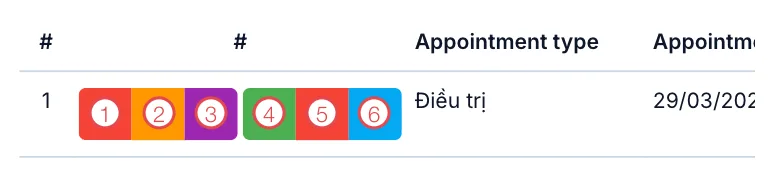
Illustration of the Arrived button
The status switches to Arrived with a time, for example 11:23 24/06. Opening the detail panel shows a check-in entry in Action history, together with the name of whoever clicked.
The check-in time is the only figure that tells you how long people wait. Doing a whole batch at the end of the shift makes every time wrong, and the waiting-time report meaningless.
The middle steps
Consulting and In treatment are set by doctors, consultants and technicians as they take the customer in. The front desk rarely touches them, but the Appointment list then shows where each customer is — handy when a relative asks.
Check-out: the customer (patient) leaves
When the visit is over, move the appointment to Left. That closes the visit.
While the customer is still at the desk, finish the rest:
- Take payment or record it — see payments.
- Book the next appointment if they need a follow-up.
- Write a care note about what they asked for.
An appointment stuck at In treatment makes the clinic look busier than it is, and the day and hour views drift with it. At the end of a shift, go through the day's Appointment list and close whatever is still open.
If you click the wrong button
There is no undo for a status. If you mark someone Arrived by mistake, tell the clinic administrator and write what happened in the Action history of that appointment so the odd timings make sense later.
Related
- Confirm Customer (Patient) Arrival — the call before the visit.
- Appointment Details — check-in time and the full log.
- Cancel an Appointment — when the customer does not come.