HR Dashboard
This is what greets you when you open the HR module. It answers in ten seconds the questions a manager asks every morning: how many are in today, who is off, where is the payroll fund, and whose paperwork is about to expire.
Top half: headcount and today's attendance
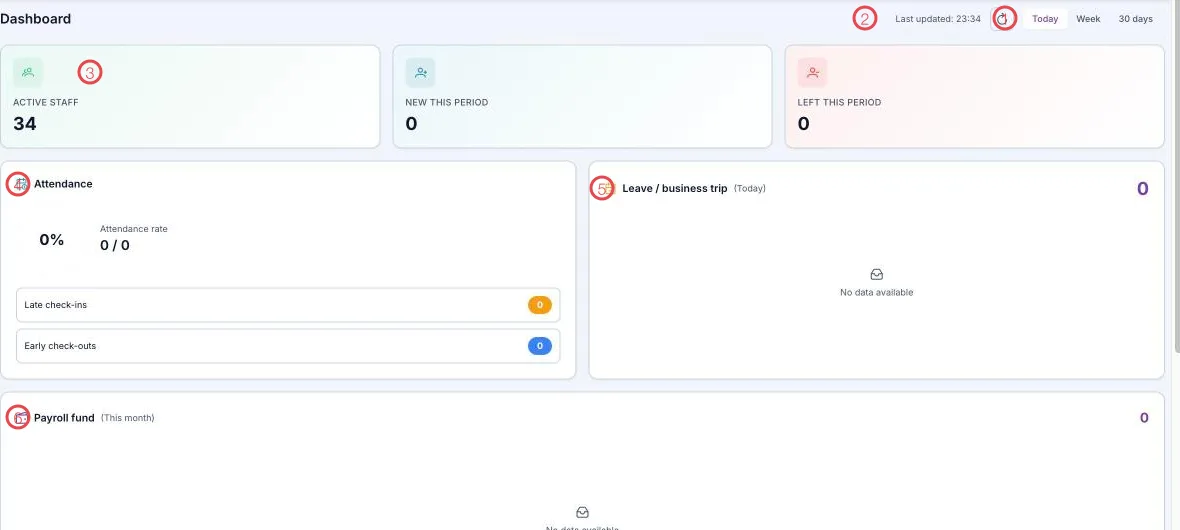
Illustration of the top half of the HR dashboard
| Area | What it is |
|---|---|
| 1. Range picker | Today · Week · 30 days — every block below recalculates. |
| 2. Last updated and refresh | When the figures were last fetched; the spinner button refetches now. |
| 3. Three headcount cards | Active staff, New this period, Left this period. |
| 4. Attendance | The period's attendance rate, plus late check-ins and early check-outs. |
| 5. Leave / business trip | How many are away today, and who. |
| 6. Payroll fund | The month's total payroll. |
Bottom half: money and paperwork
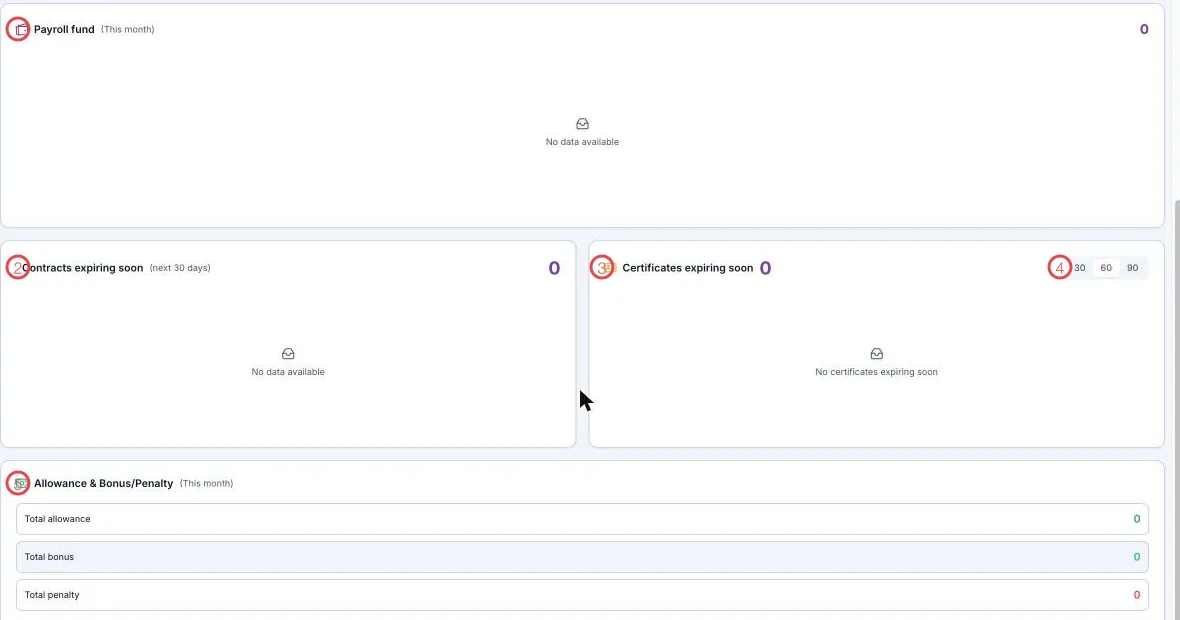
Illustration of the bottom half of the HR dashboard
| Area | What it is |
|---|---|
| 1. Payroll fund (this month) | The month's total pay. |
| 2. Contracts expiring soon (next 30 days) | Who needs re-signing — see Labor contracts. |
| 3. Certificates expiring soon | Practicing certificates nearing expiry — see Practicing certificates. |
| 4. The 30 · 60 · 90 picker | Look 30, 60 or 90 days ahead for certificates. |
| 5. Allowance & Bonus/Penalty (this month) | Total allowance, total bonus, total penalty. |
How to use it
| When | Which block |
|---|---|
| Start of the morning shift | Attendance and Leave / business trip — see at once who is missing and rearrange the work. |
| Mid-month | Payroll fund and Allowance & Bonus/Penalty — see where staff costs are heading. |
| Start of each month | Contracts and certificates expiring — deal with the paperwork before the deadline. |
The two paperwork blocks are the ones worth watching
Headcount and attendance have somebody watching them daily. Expiring contracts and certificates don't — and those are the two that create legal trouble. One look at the start of each month is enough.
Related
- Attendance sheet · Leave requests — the data behind the first blocks.
- Payroll — where the payroll fund is calculated.
- Labor contracts · Practicing certificates — the two expiry blocks.