Multiple Branches
When a clinic opens a second site, the first question is always the same: "Will the two sets of figures get mixed up, and will the receptionist here see the other site's customers (patients)?" CluvixHealth answers it with branches.
What a branch is
A branch is a real location of the clinic — a building, a unit, with its own address and phone number. A brand has as many branches as it has sites.
| Brand | Branch | |
|---|---|---|
| What it is | A clinic trading under its own name | One site, one location of that brand |
| Example | Smile dental | Smile District 1, Smile District 7 |
| Data | Completely separate between brands | Shares the brand's catalogues, split by where it happened |
Which site the data belongs to
Anything that happens at a site carries that site's mark: customers (patients), appointments, examination slips, orders, cash in and out, stock counts, attendance, accounting periods. That is how you can always answer "how many patients did District 7 see today, and how much did it take?" without splitting the software in two.
Anything that is a brand-wide catalogue — service price list, print layouts, message templates, workflow settings — is shared by every site: set it up once and the whole chain uses it.
The second site inherits the brand's price list, record templates, print layouts and workflows. All that is left is to register the new branch and assign staff to it.
Which sites staff can see
Every account is assigned a specific list of branches — seeing all of them is not the default. A District 1 receptionist assigned to District 1 gets a customer list, a schedule and a payments list containing only District 1.
Someone responsible for several sites is assigned several branches. While they have not chosen a working site, the software shows data from all the branches they are assigned — handy for an area manager watching the whole chain. Pick one site and the screen narrows to it.
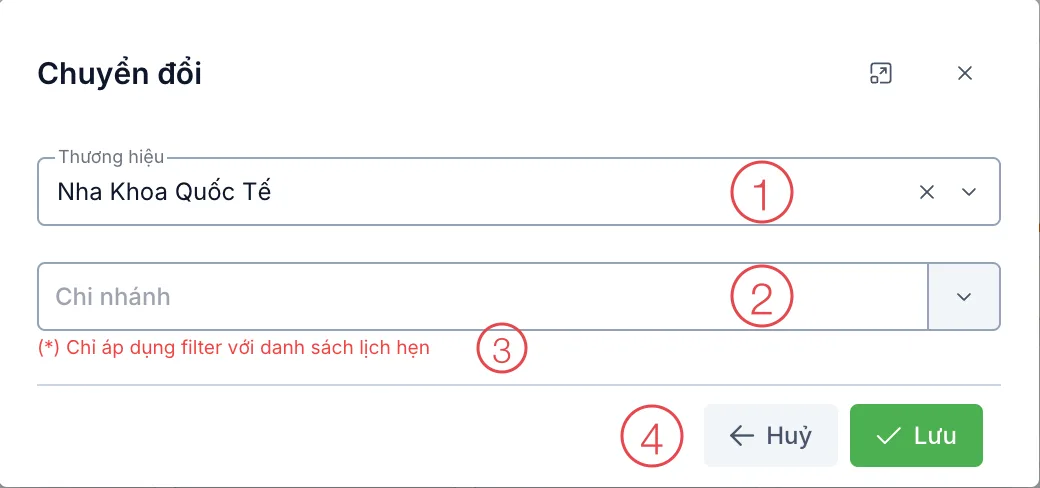
Illustration of choosing your working branch
How to choose your working site: Switching Brand.
Finding a customer (patient) across sites
A District 1 regular dropping into District 7 is an everyday event. The clinic turns on the "Search and view data across sites" permission for the roles that need it — a receptionist at any site can then pull up the customer's profile to check them in, while reports and medical records keep each site's boundary intact.
Some owners put two brands in the same building — dentistry on the ground floor, dermatology upstairs. CluvixHealth lets one branch belong to several brands, so you register that location once and use it for both.
What a chain manager gets
- Site-by-site comparison: revenue, patient numbers and return rates per branch.
- Staff coordination: a doctor working across two sites is assigned both branches, and their schedule comes together in one place.
- Stock per site: goods in, goods out and stock counts are recorded where they happened, so each site's stock level is always clear.
Related
- Multiple Brands — several clinics under one owner.
- Switching Brand — choosing your working site.
- Role-Based Permissions — who can do what at that site.