Multiple Brands
Plenty of clinic owners run more than one place: they open a second dental practice, buy a dermatology clinic, add an aesthetics centre. CluvixHealth calls each of those names a brand, and runs them all on one piece of software with one login — while keeping each one's data completely separate.
What a brand is
A brand is one clinic trading under its own name, with its own customers (patients), its own price list, its own staff and its own revenue figures. The Smile dental practice and the Belle dermatology clinic owned by the same person are two brands.
A brand can have several locations — each location is a branch.
How far the separation goes
All the way. While you are working inside one brand, every screen shows only that brand's data:
| Type of data | Kept per brand |
|---|---|
| Customers (Patients), medical records, treatment photos | A dental customer (patient) never shows up in the dermatology clinic's list |
| Appointments, check-in, treatments | Each place has its own schedule, never mixed |
| Orders, payments, debt, cash book | Revenue and reports add up separately per brand |
| Pharmacy stock, supplies, service price list | Each brand has its own catalogue and its own stock |
| Staff, attendance, payroll | Calculated separately for each place |
| Settings: print templates, message templates, workflows | Changing one place leaves the other untouched |
Because the separation is built in, you do not need a separate system per clinic — no two links to remember, no two passwords, and no risk of the two sets of figures adding into each other.
One account working across brands
A person can belong to several brands at once — typically the owner, a head accountant, or a doctor who splits their week between two sites. They sign in once and switch brand when they need to work somewhere else.
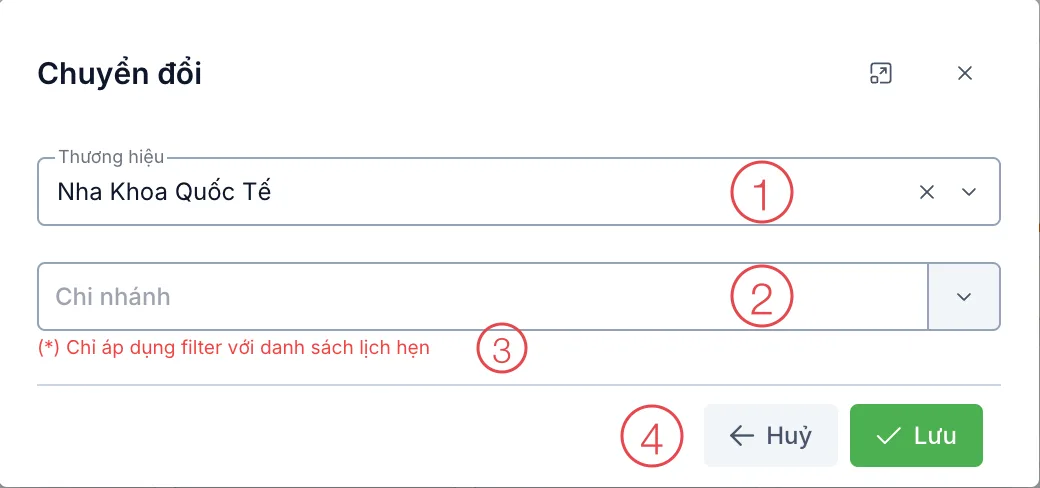
Illustration of the brand switching dialog
Staff who only work at one place are assigned that one brand and never see the other one's data — even if they know the link.
Brand assignment is one layer, role-based permissions are the second. The dental receptionist neither sees the dermatology clinic, nor opens the payroll of the dental practice they do work for.
Settings that belong to each brand
Two clinics under the same owner can still be run in two different ways. What is set per brand includes:
- Identity: name, logo, and the details printed on slips and invoices.
- Time zone — useful when a site is in another country.
- Security: two-step verification, and which networks are allowed to reach the software.
- Business workflows: record templates, print layouts, care message templates, approval steps.
How the owner sees the whole picture
An owner assigned to both brands simply switches between them to read each one's reports. The figures are always those of the brand you are looking at, so when you compare two sites you know you are comparing like for like.
Booking an appointment or taking a payment while in the wrong brand writes the data into the other clinic. After every switch, look at the brand name in the account block at the bottom of the left menu to be sure you are in the right place.
Related
- Multiple Branches — several sites within one brand.
- Switching Brand — how to switch.
- Role-Based Permissions — who can do what inside a brand.