Customer Care (Patient Care)
Customer care (the cxCare tile) keeps in touch with customers (patients) after treatment: follow-up call tasks, spotting customers (patients) who stopped mid-treatment, handling complaints, birthday greetings and collecting reviews — so customers (patients) come back and refer others.
This guide writes customer (patient) because the software lets each clinic pick its own wording: open Task options and set Subject label, and the screen shows patient (the default) or customer, whichever your staff say day to day.
Open the Customer Care (Patient Care) module
After you sign in, click the Customer care tile on the module screen.
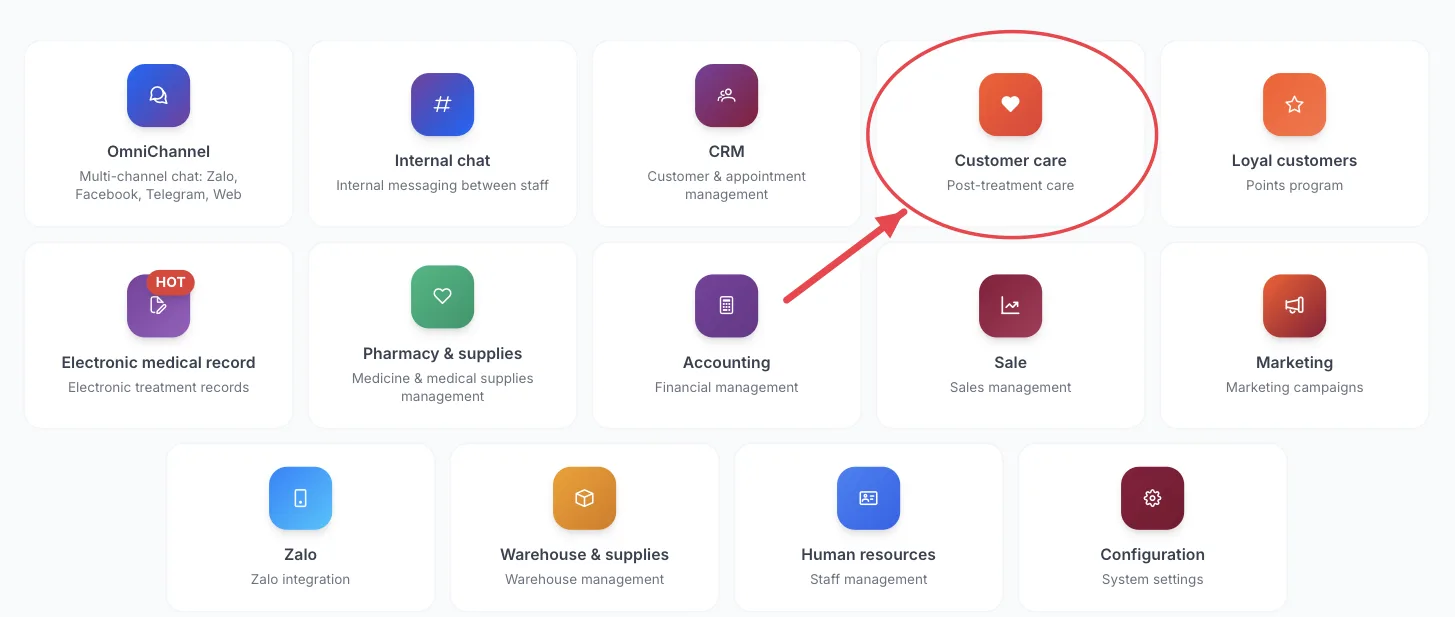
The Customer care tile on the module screen
If you are already in another module, no need to go back: click the grid icon (System modules) in the top bar and pick cxCare.
Who uses it
Customer care staff, receptionists, clinic managers.
What you can do
- Work through the daily list of customers (patients) to follow up.
- Find customers with unfinished treatment and remind them to return.
- Record and resolve complaints and incidents.
- See upcoming birthdays to send greetings.
- View customer reviews and the care effectiveness report.
Menus in this module
The left-hand menu is split into groups. The numbers in the picture match the numbered groups below; names in bold match the software.
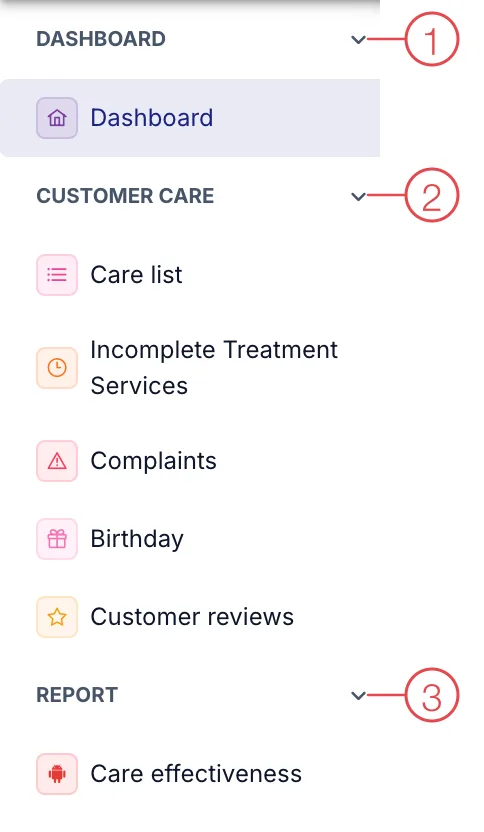
Customer Care (Patient Care) module menu
1. Dashboard
| Menu | What it is for |
|---|---|
| Dashboard | Overview of follow-ups to do and done. |
2. Customer Care (Patient Care)
| Menu | What it is for |
|---|---|
| Care list | Follow-up tasks to do or already done for customers (patients). |
| Incomplete Treatment Services | Customers (Patients) who bought a service but have not finished it. |
| Complaints | Customer (Patient) complaints and their resolution progress. |
| Birthday | Customers (Patients) with a birthday in the period you choose. |
| Customer reviews | Ratings and comments customers (patients) left after a service. |
3. Report
| Menu | What it is for |
|---|---|
| Care effectiveness | Follow-ups and results by staff member and over time. |
The module screen only shows tiles your account has permission for. If you need it, ask your clinic manager to grant access.
Open Incomplete Treatment Services weekly — customers (patients) who stop mid-treatment are the easiest to lose but also the easiest to win back.
Related
- First Login — how to get in and the module screen.