CRM
CRM (customer (patient) relationship management) is the day-to-day operations hub of the clinic: customer (patient) records, appointments, consultations, treatment services and receivables all live here. It is usually the first module receptionists and consultants open every morning.
Open the CRM module
After you sign in, click the CRM tile on the module screen.
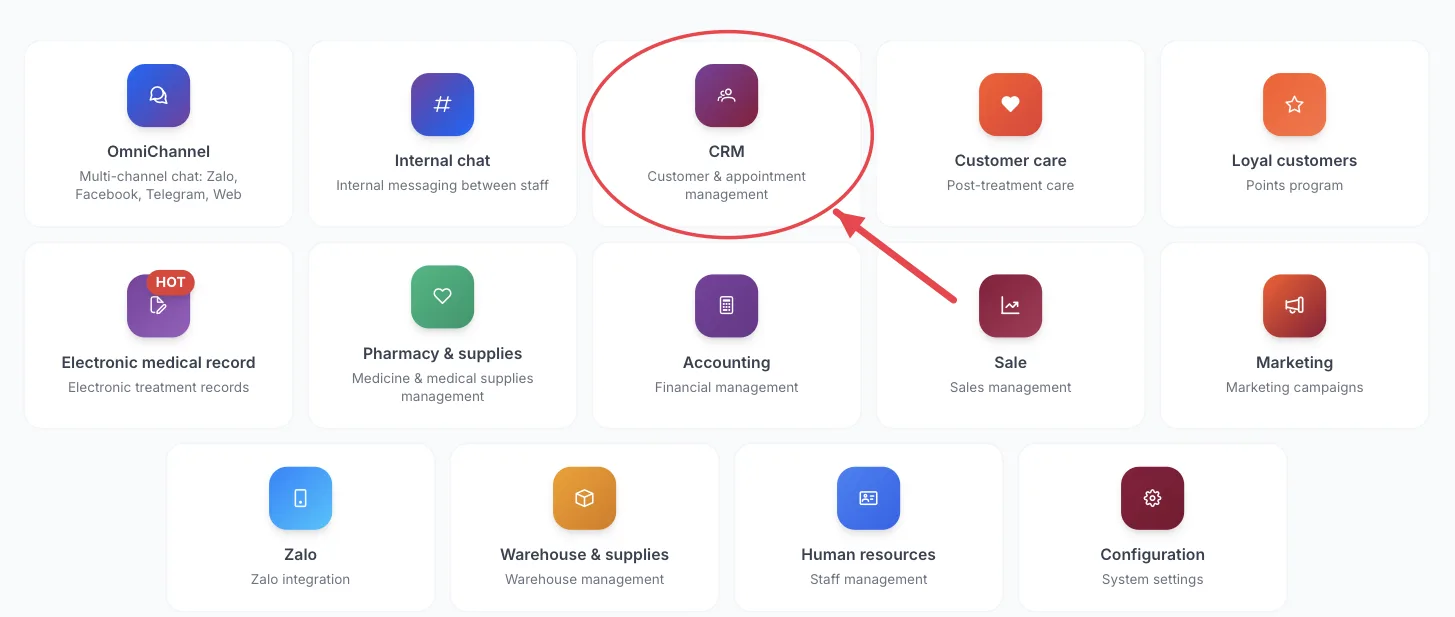
The CRM tile on the module screen
If you are already in another module, no need to go back: click the grid icon (System modules) in the top bar and pick cxCrm.
Who uses it
Receptionists, consultants, doctors (check-ups), clinic managers.
What you can do
- Book appointments and view the schedule by day, by hour and by doctor to avoid double-booking.
- Create and update customer records: contact details, medical history, treatment history.
- Record consultations and check-ups, and set reminders to call customers (patients) back.
- Track ongoing treatment services, treatment courses, lab orders and warranties.
- See how much each customer still owes and view operations reports.
Menus in this module
The left-hand menu is split into groups. The numbers in the picture match the numbered groups below; names in bold match the software.
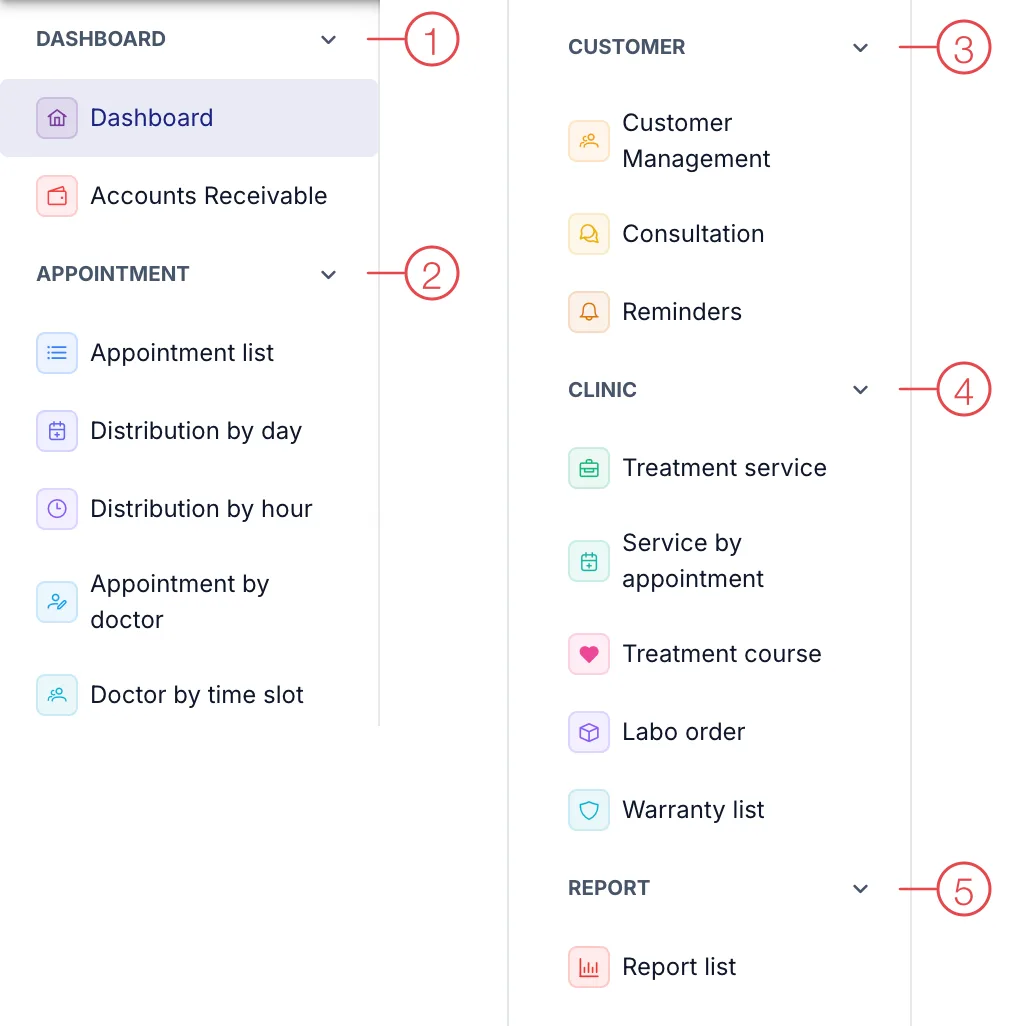
CRM module menu
1. Dashboard
| Menu | What it is for |
|---|---|
| Dashboard | Today's overview: appointments, arrivals, revenue. |
| Accounts Receivable | Customers (Patients) who still owe the clinic money and how much is outstanding. |
2. Appointment
| Menu | What it is for |
|---|---|
| Appointment list | All appointments, filtered by date, status, doctor; create, confirm or cancel. |
| Distribution by day | Appointments spread across days, so you see which days are full or free. |
| Distribution by hour | Appointments by time slot within a day, to fit customers (patients) into free slots. |
| Appointment by doctor | Each doctor's schedule, so two customers (patients) aren't booked with the same doctor at once. |
| Doctor by time slot | For a given time slot, which doctors are free and which are busy. |
3. Customer (Patient)
| Menu | What it is for |
|---|---|
| Customer Management | The list and full record of every customer. |
| Consultation | Consultation sessions: needs, suggested services, outcome. |
| Reminders | Tasks to do for a customer at a set time: call back, follow-up visit. |
4. Clinic
| Menu | What it is for |
|---|---|
| Treatment service | Services customers (patients) have bought and their progress. |
| Service by appointment | Services performed in each specific appointment. |
| Treatment course | Multi-stage treatment plans and the stage each customer is at. |
| Labo order | Orders sent to a dental/medical lab (e.g. crowns, aligners) and their delivery status. |
| Warranty list | Service warranties issued to customers (patients). |
5. Report
| Menu | What it is for |
|---|---|
| Report list | Reports on customers (patients), appointments and clinic revenue. |
The module screen only shows tiles your account has permission for. If you need it, ask your clinic manager to grant access.
New at reception? Learn 3 things first: create a customer, book an appointment and confirm arrival. Step-by-step guides are in the CRM docs.
Related
- First Login — how to get in and the module screen.