Electronic Medical Records
Electronic Medical Records (EMR) replace paper records: patient intake, the doctor’s examination and notes, referrals, prescriptions and visit billing are all recorded in the software and can be looked up at any time.
Open the Electronic Medical Records module
After you sign in, click the Electronic medical record tile on the module screen.
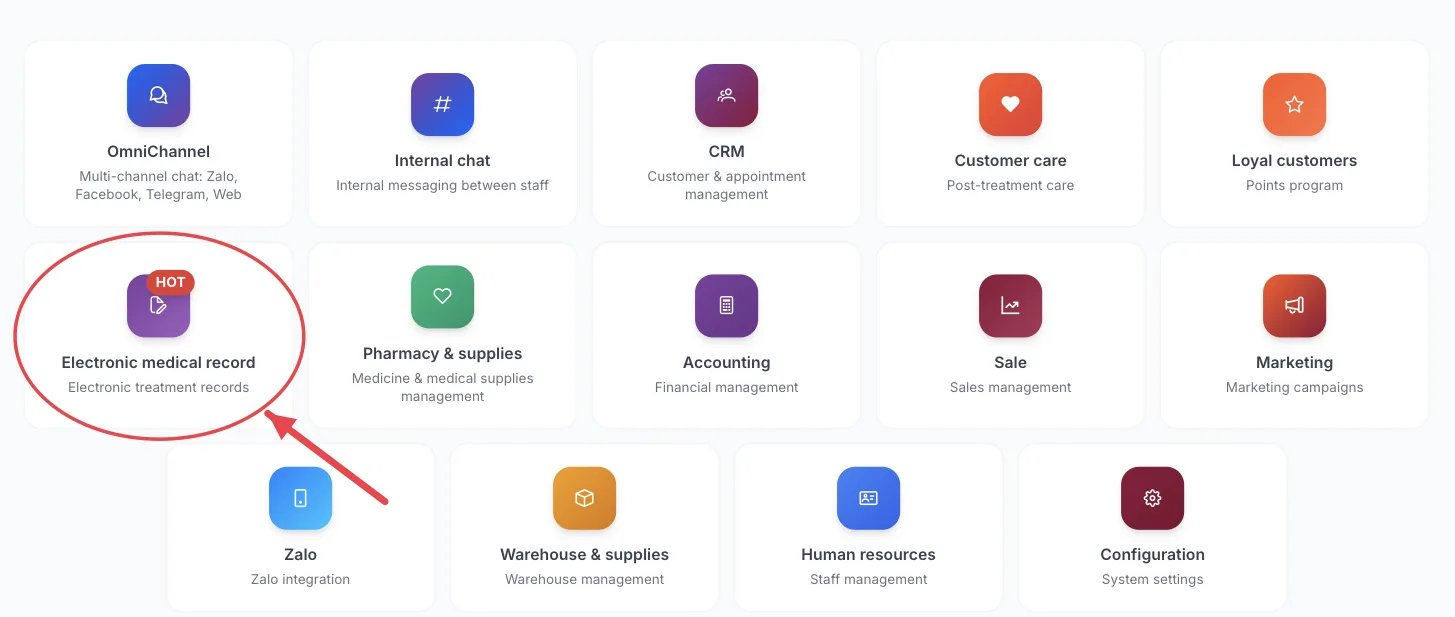
The Electronic medical record tile on the module screen
If you are already in another module, no need to go back: click the grid icon (System modules) in the top bar and pick cxEmr.
Who uses it
Doctors, nurses, intake staff, cashiers.
What you can do
- Check patients in for examination and follow the waiting queue.
- Write the medical record for each visit and review a patient's full visit history.
- Create referral letters to send a patient to another department.
- Prescribe medicine and review past prescriptions.
- Collect payment for the visit.
Menus in this module
The left-hand menu is split into groups. The numbers in the picture match the numbered groups below; names in bold match the software.
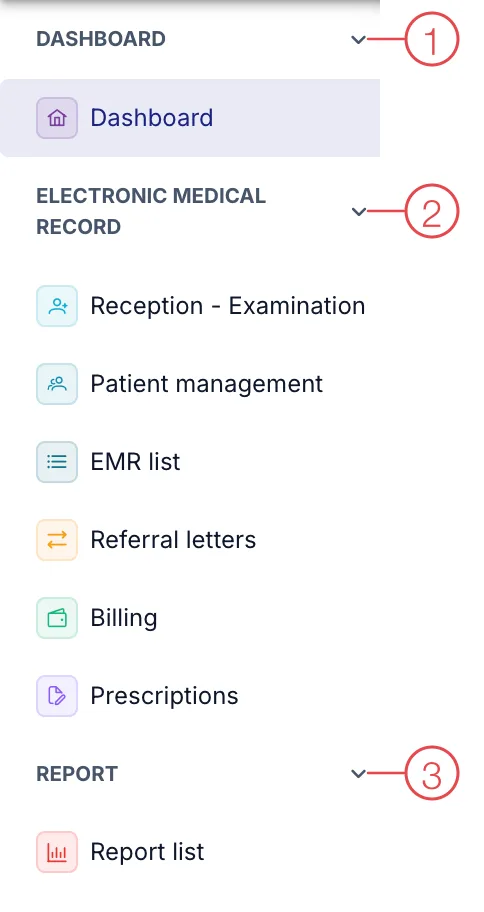
Electronic Medical Records module menu
1. Dashboard
| Menu | What it is for |
|---|---|
| Dashboard | Overview of today's intakes, examinations and records. |
2. Electronic medical record
| Menu | What it is for |
|---|---|
| Reception - Examination | Check patients in and open the examination screen for the doctor. |
| Patient management | Patient list and administrative details. |
| EMR list | All medical records, searchable by patient or date. |
| Referral letters | Letters transferring a patient from one department to another. |
| Billing | Collect payment for visits and services in the record. |
| Prescriptions | Prescriptions doctors have issued to patients. |
3. Report
| Menu | What it is for |
|---|---|
| Report list | Reports on visits and medical records. |
This module depends on the clinic's subscription plan and needs account permission. If you can't see it, ask your clinic manager to check.
A medical record is a legal document — complete it during the visit rather than catching up at the end of the day.
Related
- First Login — how to get in and the module screen.