HR
HR manages everything about clinic staff: records and software permissions, attendance, work schedules, leave and overtime requests, through to payroll, bonuses and penalties, commissions and labor contracts.
Open the HR module
After you sign in, click the Human resources tile on the module screen.
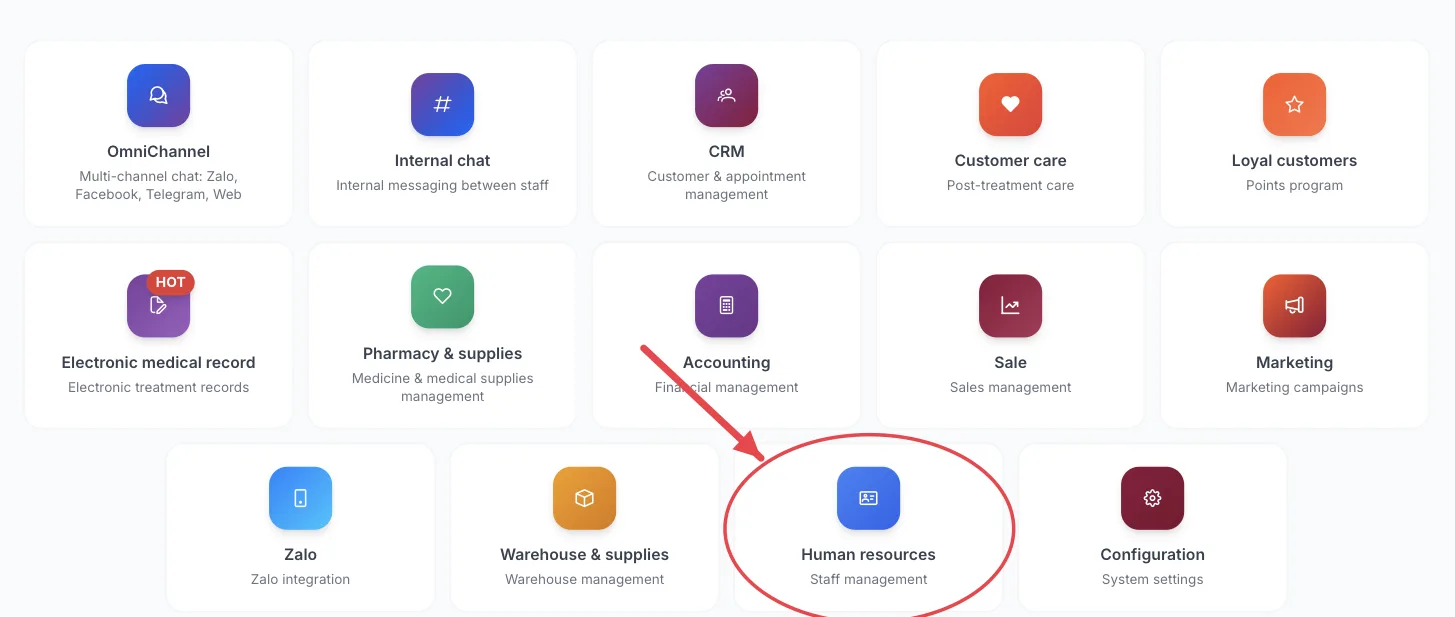
The Human resources tile on the module screen
If you are already in another module, no need to go back: click the grid icon (System modules) in the top bar and pick HR.
Who uses it
HR staff, managers, clinic owners. Regular staff use it to submit leave and overtime requests.
What you can do
- Add new staff, create their accounts and set permissions for what they can see and do.
- Track attendance and plan work schedules.
- Submit and approve leave and overtime requests; see remaining leave days.
- Run payroll, salary advances, bonuses/penalties and allowances.
- Set up salary and commission plans and assign them to staff.
- Keep labor contracts and medical staff's practicing certificates.
Menus in this module
The left-hand menu is split into groups. The numbers in the picture match the numbered groups below; names in bold match the software.
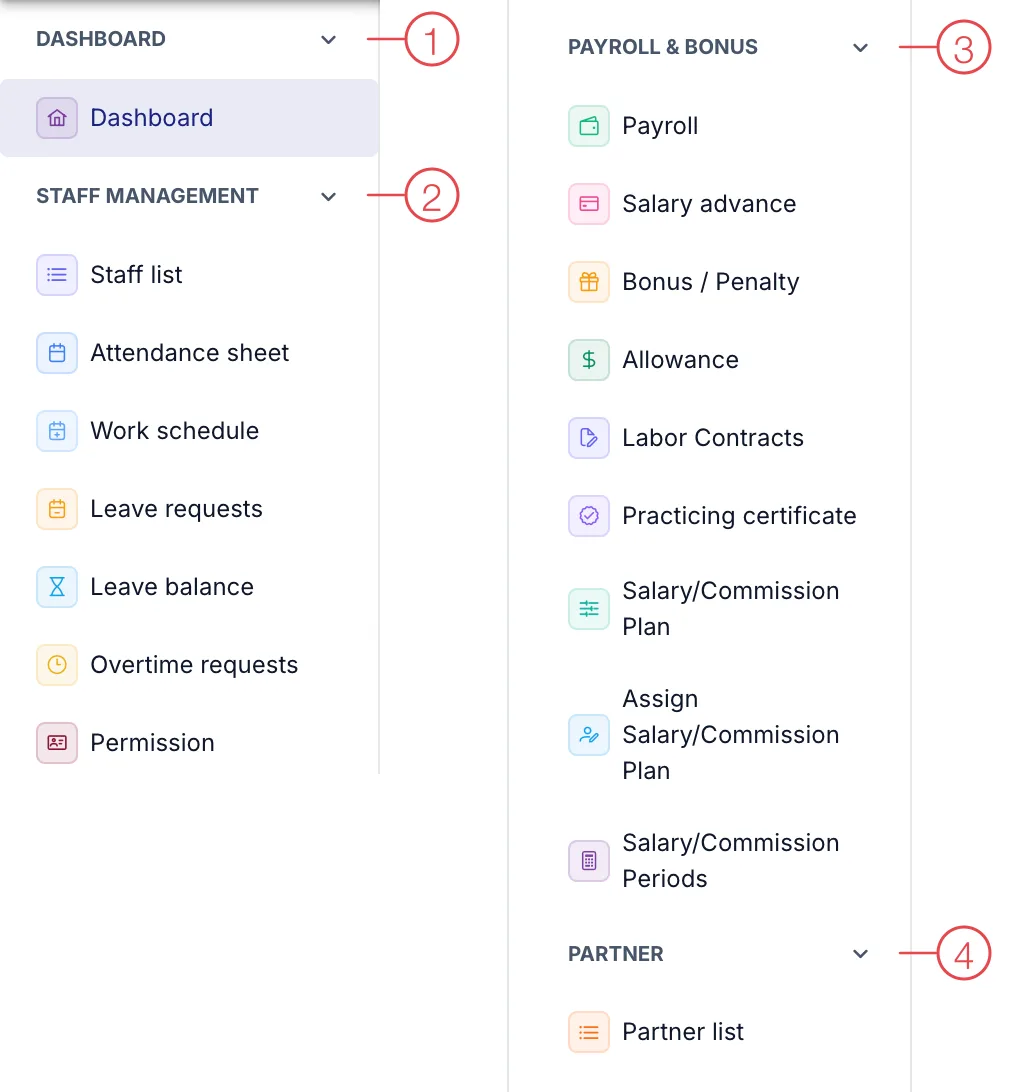
HR module menu
1. Dashboard
| Menu | What it is for |
|---|---|
| Dashboard | HR overview: headcount, attendance, leave. |
2. Staff management
| Menu | What it is for |
|---|---|
| Staff list | Staff records and login accounts. |
| Attendance sheet | Clock-in/out times and working days. |
| Work schedule | Each staff member's shifts. |
| Leave requests | Leave requests and approval status. |
| Leave balance | Remaining leave days for each staff member. |
| Overtime requests | Overtime requests and approval status. |
| Permission | Set what each role can see and do in the software. |
3. Payroll & bonus
| Menu | What it is for |
|---|---|
| Payroll | Payroll for each period. |
| Salary advance | Advances paid to staff, deducted from salary. |
| Bonus / Penalty | Bonuses or penalties added to or deducted from salary. |
| Allowance | Allowances (lunch, transport…). |
| Labor Contracts | Staff contracts and expiry dates. |
| Practicing certificate | Practicing certificates of doctors and nurses and their validity. |
| Salary/Commission Plan | Shared rules for calculating salary and commission. |
| Assign Salary/Commission Plan | Apply a plan to each staff member. |
| Salary/Commission Periods | Salary and commission periods (usually monthly). |
4. Partner
| Menu | What it is for |
|---|---|
| Partner list | External partners working with the clinic. |
If you can’t see a module on the module screen, the person with access to Permission in this module is the one who can grant it.
The module screen only shows tiles your account has permission for. If you need it, ask your clinic manager to grant access.
When someone leaves, deactivate their login in Staff list straight away so they can no longer access the software.
Related
- First Login — how to get in and the module screen.