Warehouse & Supplies
Warehouse & Supplies manages the consumables and equipment the clinic uses in treatments (gloves, needles, dental materials…): receiving, using, moving between warehouses, stock takes, and knowing when to reorder.
Open the Warehouse & Supplies module
After you sign in, click the Warehouse & supplies tile on the module screen.
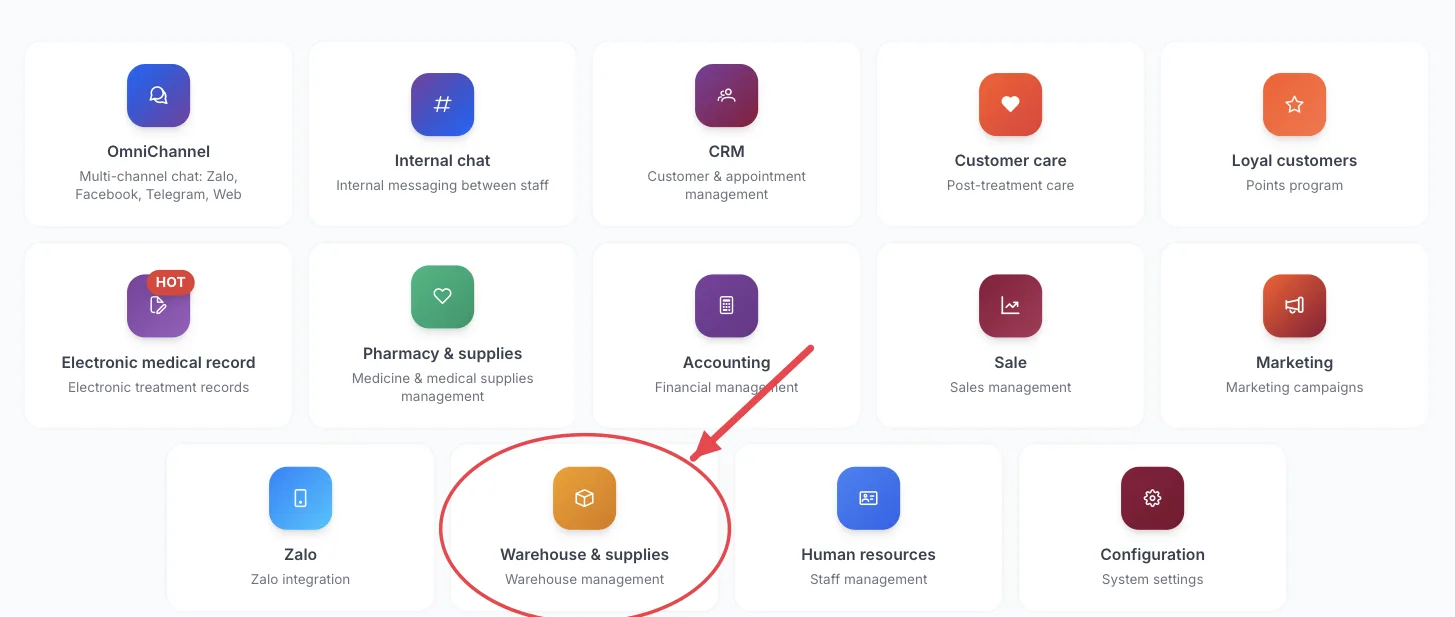
The Warehouse & supplies tile on the module screen
If you are already in another module, no need to go back: click the grid icon (System modules) in the top bar and pick Warehouse & supplies.
Who uses it
Storekeepers, nurses/assistants taking supplies, clinic managers.
What you can do
- See current stock for each item.
- Create stock entry, usage, return, transfer and adjustment vouchers.
- Run regular stock takes and reconcile real counts with the software.
- Reserve supplies for a service so nobody else takes them.
- Order from suppliers when stock runs low.
- Track material recalls and keep the controlled-items log.
Menus in this module
The left-hand menu is split into groups. The numbers in the picture match the numbered groups below; names in bold match the software.
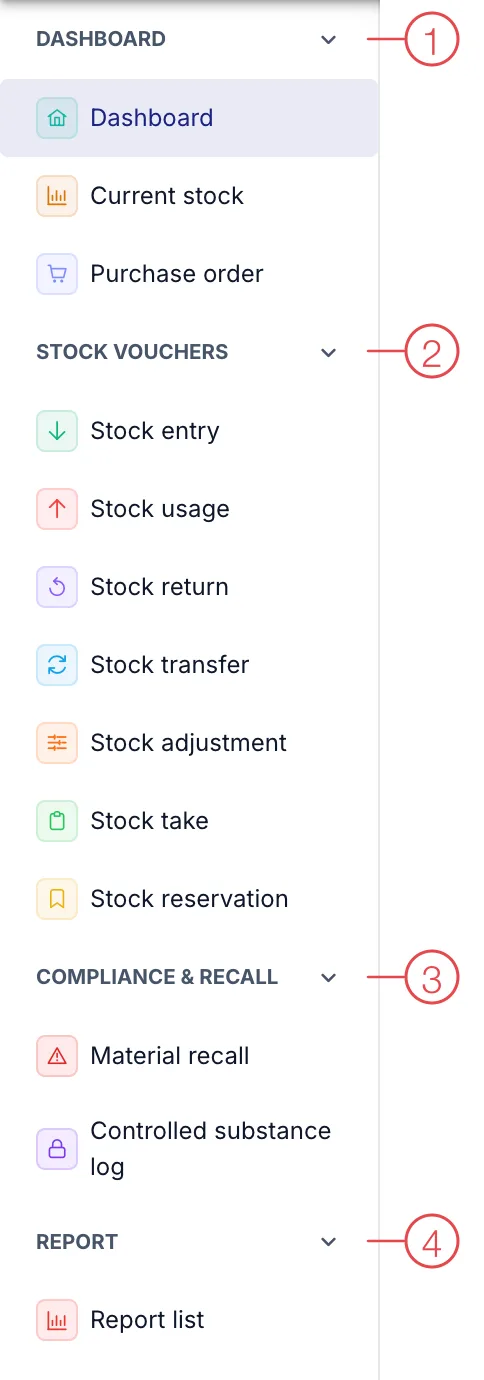
Warehouse & Supplies module menu
1. Dashboard
| Menu | What it is for |
|---|---|
| Dashboard | Overview of stock value, low-stock items and recent vouchers. |
| Current stock | Quantity of each item in each warehouse. |
| Purchase order | Orders to buy supplies from suppliers. |
2. Stock vouchers
| Menu | What it is for |
|---|---|
| Stock entry | Record supplies received into the warehouse. |
| Stock usage | Record supplies taken out for use. |
| Stock return | Return unused supplies to the warehouse. |
| Stock transfer | Move supplies between warehouses, e.g. between two branches. |
| Stock adjustment | Correct stock when there is a difference (damage, loss, mistakes), with a reason. |
| Stock take | Physically count all or part of a warehouse. |
| Stock reservation | Set supplies aside for an upcoming service/treatment. |
3. Compliance & Recall
| Menu | What it is for |
|---|---|
| Material recall | Handle a manufacturer recall of a supply batch. |
| Controlled substance log | A separate log for items that must be tightly controlled by regulation. |
4. Report
| Menu | What it is for |
|---|---|
| Report list | Stock in - out - balance reports. |
Medicine sold to patients is not managed here but in Pharmacy & drug store.
This module depends on the clinic's subscription plan and needs account permission. If you can't see it, ask your clinic manager to check.
If you take out supplies and don’t use them all, record a Stock return the same day so stock stays accurate.
Related
- First Login — how to get in and the module screen.