Marketing
Marketing (the cxMarketing tile) shows the clinic how many customers (patients) its ad spend actually brings in: campaign management, conversion from prospect to customer (patient), staff KPIs and Facebook Ads figures.
Open the Marketing module
After you sign in, click the Marketing tile on the module screen.
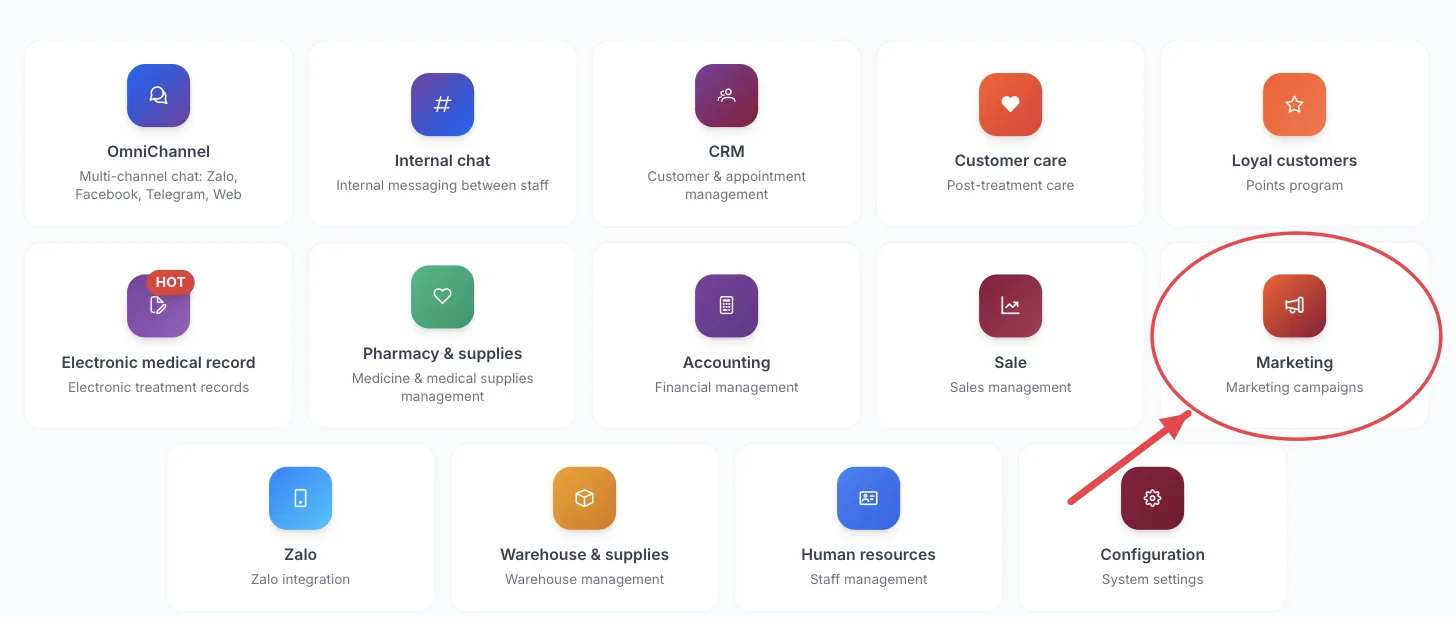
The Marketing tile on the module screen
If you are already in another module, no need to go back: click the grid icon (System modules) in the top bar and pick cxMarketing.
Who uses it
Marketing staff, marketing managers, clinic owners.
What you can do
- Create and track marketing campaigns.
- See conversion: how many prospects became customers (patients).
- Track each staff member’s KPIs.
- View Facebook Ads performance reports.
Menus in this module
The left-hand menu is split into groups. The numbers in the picture match the numbered groups below; names in bold match the software.
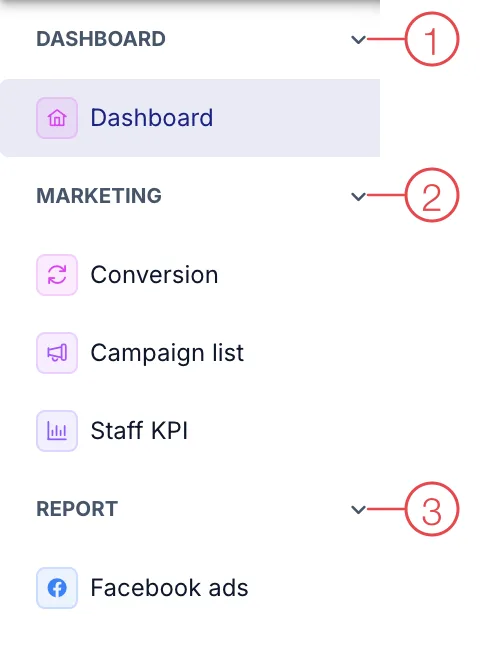
Marketing module menu
1. Dashboard
| Menu | What it is for |
|---|---|
| Dashboard | Marketing performance overview. |
2. Marketing
| Menu | What it is for |
|---|---|
| Conversion | Track prospects turning into customers (patients) by source. |
| Campaign list | Marketing campaigns and their results. |
| Staff KPI | Targets and results for each staff member. |
3. Report
| Menu | What it is for |
|---|---|
| Facebook ads | Cost and results of Facebook ads. |
This module depends on the clinic's subscription plan and needs account permission. If you can't see it, ask your clinic manager to check.
Compare Facebook ads with Conversion to see which campaigns bring real customers (patients), not just clicks.
Related
- First Login — how to get in and the module screen.