Pharmacy & drug store
Pharmacy & drug store is the pharmacy counter module: dispensing prescriptions and retail sales, managing medicine stock by batch and expiry date, supplier purchase orders, submitting prescriptions to the national drug system and drug-safety reporting.
Open the Pharmacy & drug store module
After you sign in, click the Pharmacy & drug store tile on the module screen.
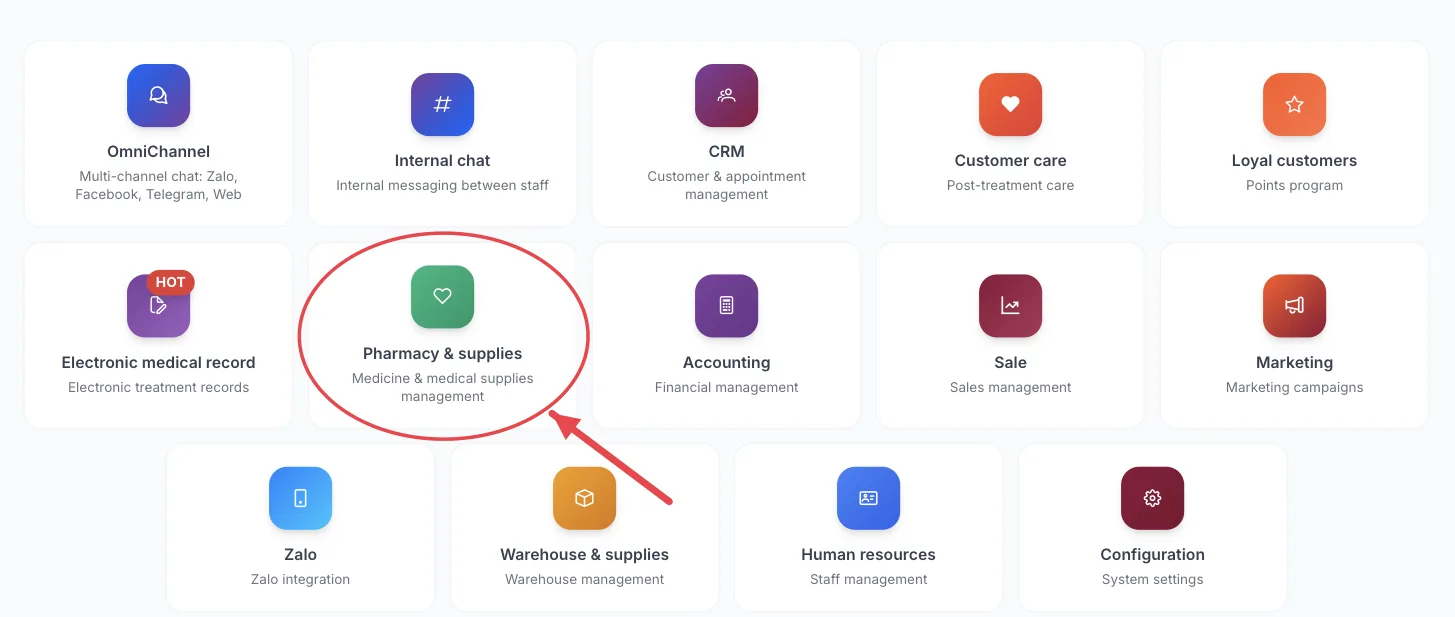
The Pharmacy & drug store tile on the module screen
If you are already in another module, no need to go back: click the grid icon (System modules) in the top bar and pick cxPharmacy.
Who uses it
Pharmacists, pharmacy counter staff, pharmacy storekeepers, clinic managers.
What you can do
- Dispense medicine from a doctor’s prescription or sell over the counter.
- Record stock in, stock out, stock takes and check current stock.
- Track batches and expiry dates so older batches are sold first and nothing expires on the shelf.
- Create purchase orders for suppliers.
- Submit and look up prescriptions on the national drug database (DQG).
- Report adverse drug reactions (ADR) and handle drug recalls.
Menus in this module
The left-hand menu is split into groups. The numbers in the picture match the numbered groups below; names in bold match the software.
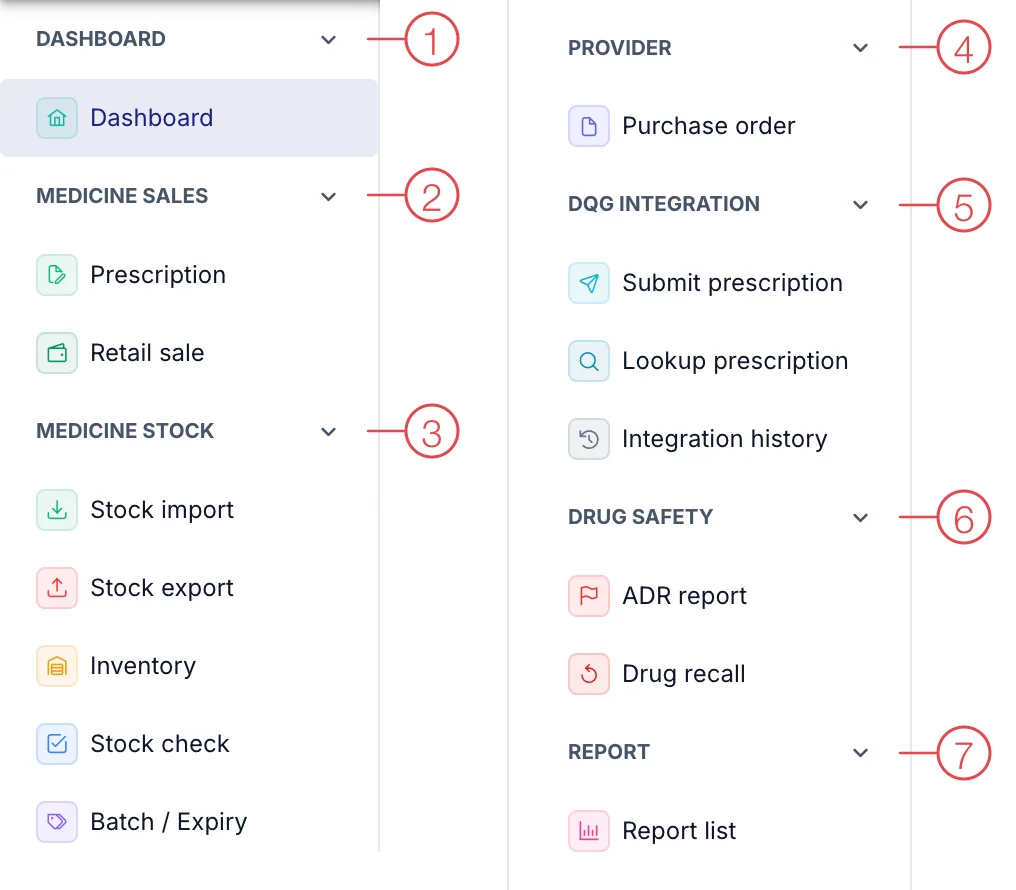
Pharmacy & drug store module menu
1. Dashboard
| Menu | What it is for |
|---|---|
| Dashboard | Overview of medicine sales, stock and items close to expiry. |
2. Medicine sales
| Menu | What it is for |
|---|---|
| Prescription | Doctors' prescriptions waiting to be dispensed. |
| Retail sale | Sell medicine directly to walk-in customers (patients) without a clinic prescription. |
3. Medicine stock
| Menu | What it is for |
|---|---|
| Stock import | Record incoming medicine: supplier, batch number, expiry, quantity. |
| Stock export | Record medicine leaving stock other than sales (disposal, return to supplier, internal use). |
| Inventory | Current quantities in stock. |
| Stock check | Physical count compared with the numbers in the software. |
| Batch / Expiry | Each batch of medicine and its expiry date. |
4. Provider
| Menu | What it is for |
|---|---|
| Purchase order | Orders to buy medicine from suppliers. |
5. DQG integration
| Menu | What it is for |
|---|---|
| Submit prescription | Send prescriptions to the national drug system as required by regulations. |
| Lookup prescription | Find prescriptions already sent to the national system. |
| Integration history | Log of each submission: accepted or rejected. |
6. Drug safety
| Menu | What it is for |
|---|---|
| ADR report | Record adverse reactions a patient had to a medicine. |
| Drug recall | Handle a recall notice for a medicine or a batch. |
7. Report
| Menu | What it is for |
|---|---|
| Report list | Medicine sales and stock movement reports. |
This module handles medicine only. Consumables and equipment used in treatments are managed in Warehouse & Supplies.
This module depends on the clinic's subscription plan and needs account permission. If you can't see it, ask your clinic manager to check.
Check Batch / Expiry weekly to spot medicine that is about to expire.
Related
- First Login — how to get in and the module screen.