Sales
Sales (the cxSale tile) helps the consulting team never miss a prospect: people who leave their details via Zalo, the website form or the Zalo Mini App land in one list and are assigned to a consultant until they book or buy.
Open the Sales module
After you sign in, click the Sale tile on the module screen.
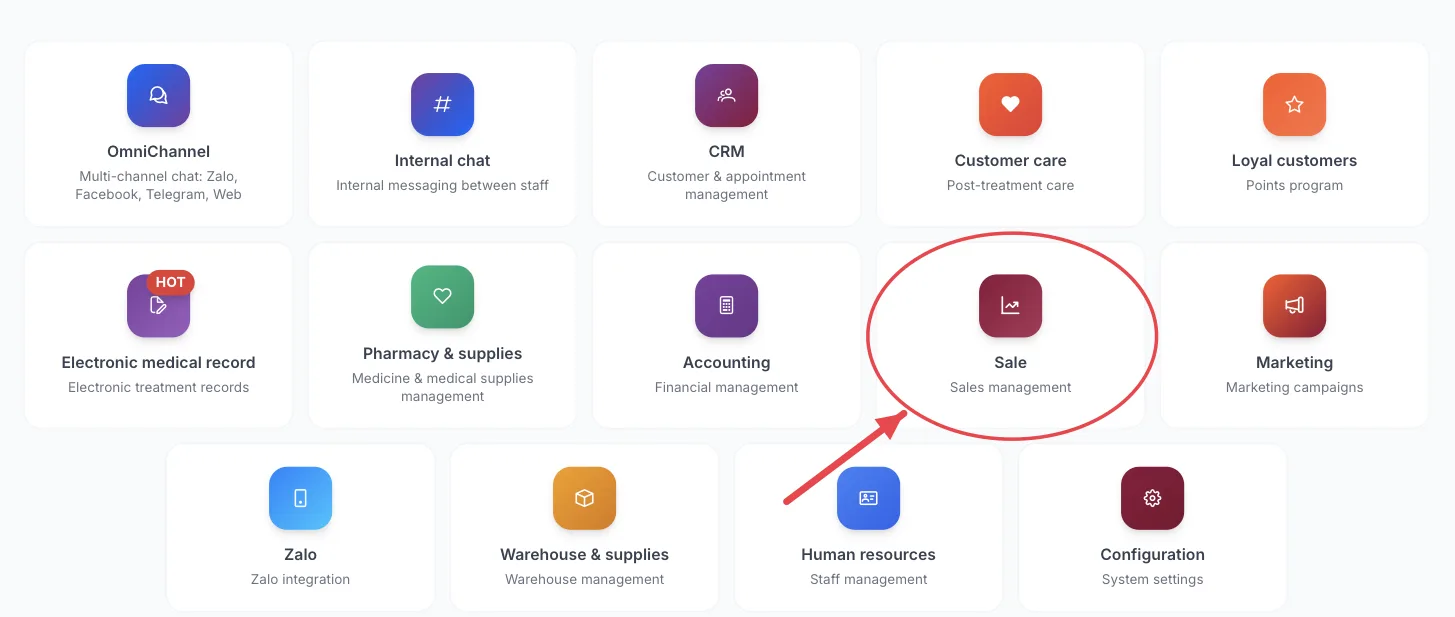
The Sale tile on the module screen
If you are already in another module, no need to go back: click the grid icon (System modules) in the top bar and pick cxSale.
Who uses it
Consultants, telesales, sales team leads.
What you can do
- View and follow up on the lead list.
- Receive new leads from Zalo, website forms and the Zalo Mini App.
- Handle tickets assigned to you.
- Track sales opportunities until closed.
- See the conversion overview report.
Menus in this module
The left-hand menu is split into groups. The numbers in the picture match the numbered groups below; names in bold match the software.
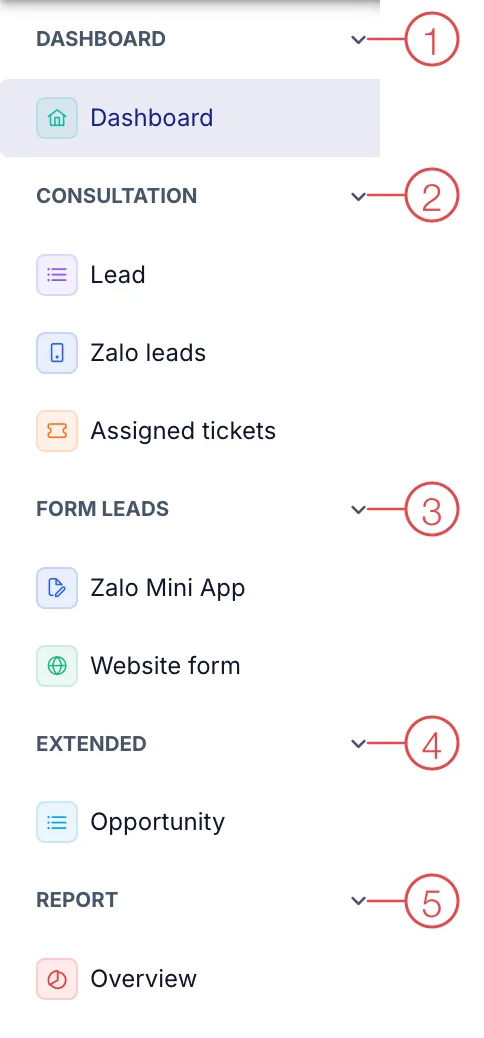
Sales module menu
1. Dashboard
| Menu | What it is for |
|---|---|
| Dashboard | New leads, converted leads, consulting performance. |
2. Consultation
| Menu | What it is for |
|---|---|
| Lead | People who are interested but not yet customers (patients). |
| Zalo leads | Leads coming from the Zalo channel. |
| Assigned tickets | Prospects assigned to you to follow up. |
3. Form leads
| Menu | What it is for |
|---|---|
| Zalo Mini App | People who left their details through the clinic's Zalo Mini App. |
| Website form | People who filled in the sign-up form on the clinic's website. |
4. Extended
| Menu | What it is for |
|---|---|
| Opportunity | Sales opportunities in progress and the stage of each. |
5. Report
| Menu | What it is for |
|---|---|
| Overview | Overview report of leads and conversion. |
This module depends on the clinic's subscription plan and needs account permission. If you can't see it, ask your clinic manager to check.
Call new form leads back as soon as possible — right after they leave their details is when they are easiest to book.
Related
- First Login — how to get in and the module screen.