Zalo
Zalo (the cxZalo tile) connects the clinic to Zalo: message customers (patients) through Zalo OA (the clinic’s official account), send ZNS notifications in bulk, and manage the clinic’s Zalo Mini App.
Open the Zalo module
After you sign in, click the Zalo tile on the module screen.
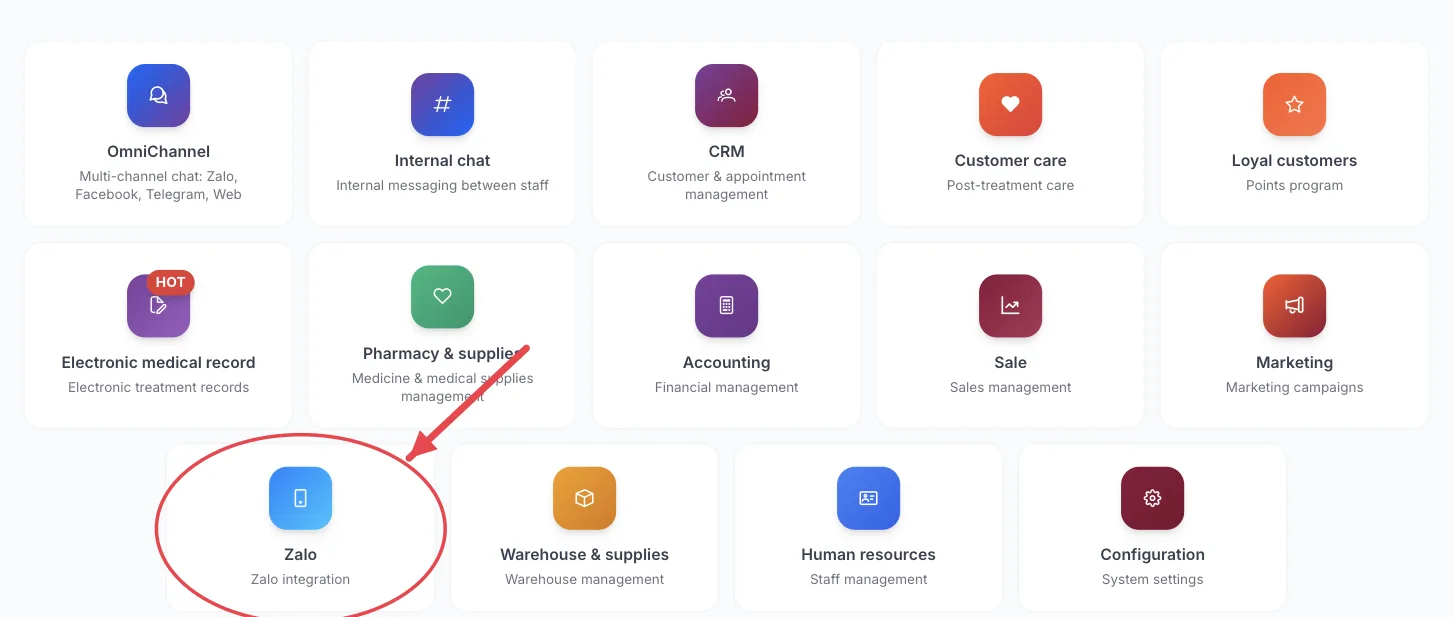
The Zalo tile on the module screen
If you are already in another module, no need to go back: click the grid icon (System modules) in the top bar and pick cxZalo.
Who uses it
Marketing staff, customer care (patient care), whoever manages the Zalo channel.
What you can do
- Chat with customers (patients) who follow the clinic's Zalo OA.
- Create ZNS campaigns (appointment reminders, thank-you notes, promotions…) sent by phone number.
- View Zalo Mini App users.
- Configure the Zalo Mini App.
Menus in this module
The left-hand menu is split into groups. The numbers in the picture match the numbered groups below; names in bold match the software.
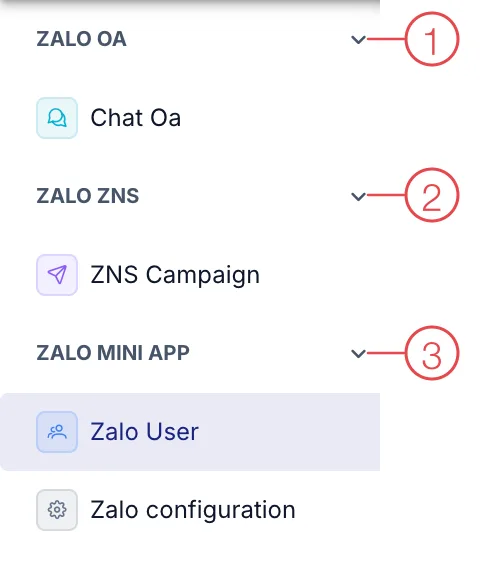
Zalo module menu
1. Zalo OA
| Menu | What it is for |
|---|---|
| Chat Oa | Message customers (patients) through the clinic's Zalo OA account. |
2. Zalo ZNS
| Menu | What it is for |
|---|---|
| ZNS Campaign | Send ZNS messages (Zalo notifications delivered by phone number) to many customers (patients). |
3. Zalo Mini App
| Menu | What it is for |
|---|---|
| Zalo User | People who have opened the clinic's Zalo Mini App. |
| Zalo configuration | Settings for the Zalo Mini App. |
This module depends on the clinic's subscription plan and needs account permission. If you can't see it, ask your clinic manager to check.
ZNS (Zalo Notification Service) messages are charged by Zalo per message delivered — pick the right customer group before sending.
Related
- First Login — how to get in and the module screen.