Report List
This is the way in to every warehouse report, in two groups: analytics for deciding what to do, and history for looking things up.
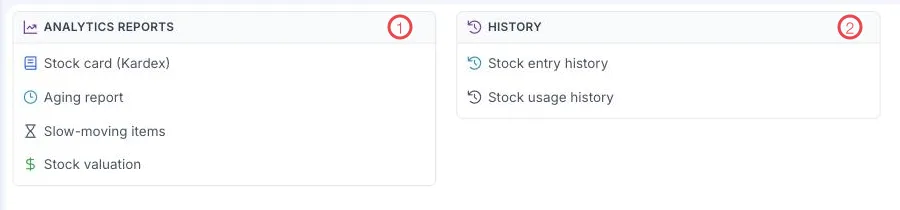
Illustration of the Report list screen
| Area | What it is |
|---|---|
| 1. Analytics reports | Four reports that answer what should we do next. |
| 2. History | Two logs for looking up what already happened. |
The four analytics reports
| Report | Answers |
|---|---|
| Stock card (Kardex) | Everything one material has been through: in, out and balance, movement by movement. |
| Aging report | How long stock has been sitting — the longer it sits, the greater the risk of expiry or obsolescence. |
| Slow-moving items | What has not moved in a long time: order less, or stop ordering. |
| Stock valuation | How much money the store is holding, by material and by warehouse. |
Stock card (Kardex) is the one to learn first: every question of the form "there were ten last month and four now — where did six go" is answered there, in date order.
The two histories
| Log | Used for |
|---|---|
| Stock entry history | Looking up arrivals: which day, which supplier, which lot, who received it. |
| Stock usage history | Looking up issues: which case, who took it, how much. |
Read two reports together to set order levels
Slow-moving items shows what is piling up; stock valuation shows how much money that pile is tying up. Read together, they give you the list to cut from the next order.
Related
- Current Stock — the snapshot as of now.
- Stock Take — reconciling the books with the shelf.
- Warehouse Overview — the dashboard with low-stock and expiry warnings.