Loyalty Overview
Winning a new customer always costs more than keeping an existing one. Loyalty is where the clinic turns keeping customers (patients) into a programme with clear rules: people who come back earn points, people who send customers (patients) your way earn commission, and every special offer carries a code so you can measure what it brought in.
The module is usually used by the owner, the sales manager and the marketing team.
How to open Loyalty
Right after you sign in, the software opens the module selection screen — a board of tiles, each one an area of the clinic's work.
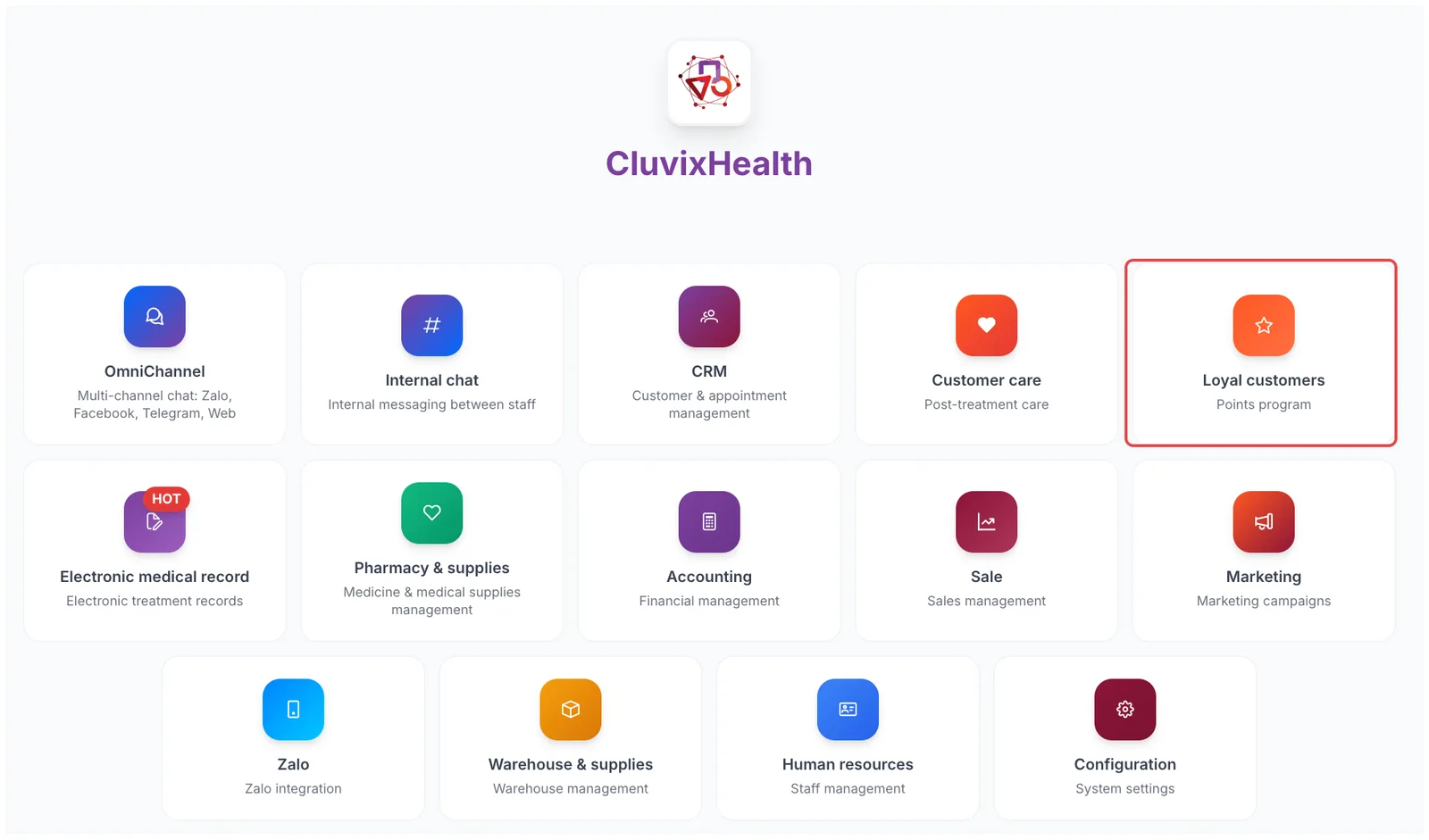
Illustration of the module selection screen
Look for the Loyal customers tile — a star icon on an orange background, with "Points program" underneath. Click it to open the module.
No need to sign out. On the purple bar at the very top, click the grid icon (four small squares) and choose cxLoyalty.
The screen only shows the modules your account is allowed to use, so the number of tiles may differ from the illustration. If there is no Loyal customers tile, your account has not been given access yet — ask your clinic administrator.
What's on the working screen
Once inside, the screen is split into fixed areas — whichever item you open, everything stays in the same place.
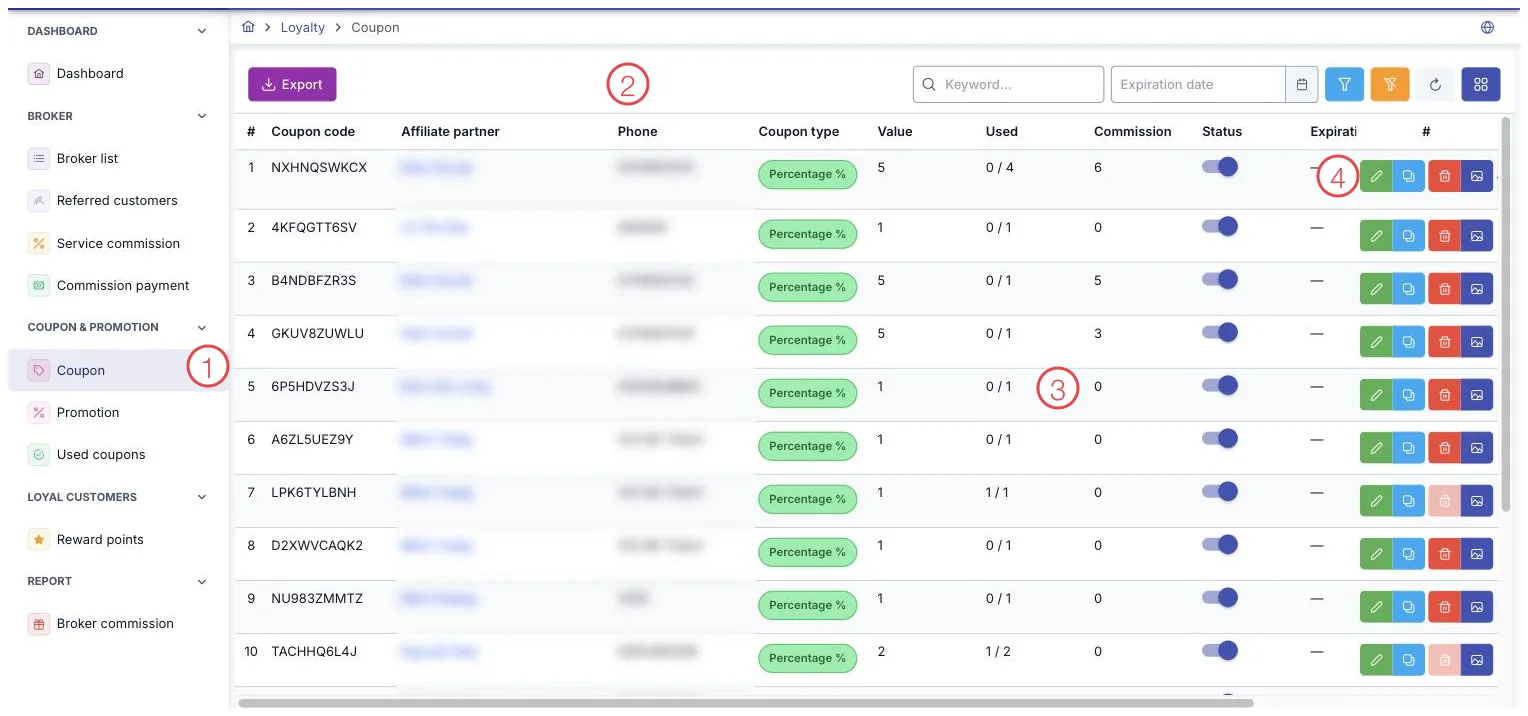
Illustration of the Loyalty working screen
| Area | What it is |
|---|---|
| 1. Left menu | The module's items, grouped: Broker, Coupon & Promotion, Loyal customers, Report. |
| 2. Toolbar | The Export button for sending data to Excel, the search box, filters, and the column picker. |
| 3. Data table | The list for whichever item is open, with page numbers at the bottom. |
| 4. Row buttons | Edit, duplicate, delete and view details, for that row. |
What the module covers
Broker
For clinics that get customers (patients) through referrals — outside doctors, former customers (patients), partners. The software follows it from the referral to the payout:
- Broker list — a profile for each referral partner.
- Referred customers — who sent which customer (patient) to the clinic.
- Service commission — the commission rate for each service.
- Commission payment — the payout runs for partners.
Coupon & Promotion
- Coupon — discount codes given to customers (patients), each with its own value, usage limit and expiry.
- Promotion — offer campaigns by period.
- Used coupons — which code was used, by whom, and when.
Loyal customers (Patient)
- Reward points — the points a customer builds up with each service they use.
Report
- Broker commission — commission totals per referral partner.
Why use it
- More returning customers. Reward points give people a concrete reason to come back to you rather than try somewhere new.
- Referral partners are paid transparently. Every customer a partner brings in leaves a trail, so nobody argues about the figures at payout time.
- Every campaign is measurable. Coupons carry their own codes, so you know exactly how many customers (patients) an offer brought in rather than guessing.
Related
- Customer Care (Patient Care) Overview — follow-up care, complaints and reviews.
- CRM Overview — customer (patient) profiles and appointments.