Referred Customers (Patient)
Referred Customers lists every customer who has a referrer, letting the clinic see each broker's (CTV's) real performance — who's bringing in more customers (patients), how those customers (patients) are progressing, and how much revenue they've generated.
From the left menu, open Broker > Referred Customers to reach this screen.
The screen is laid out like this:
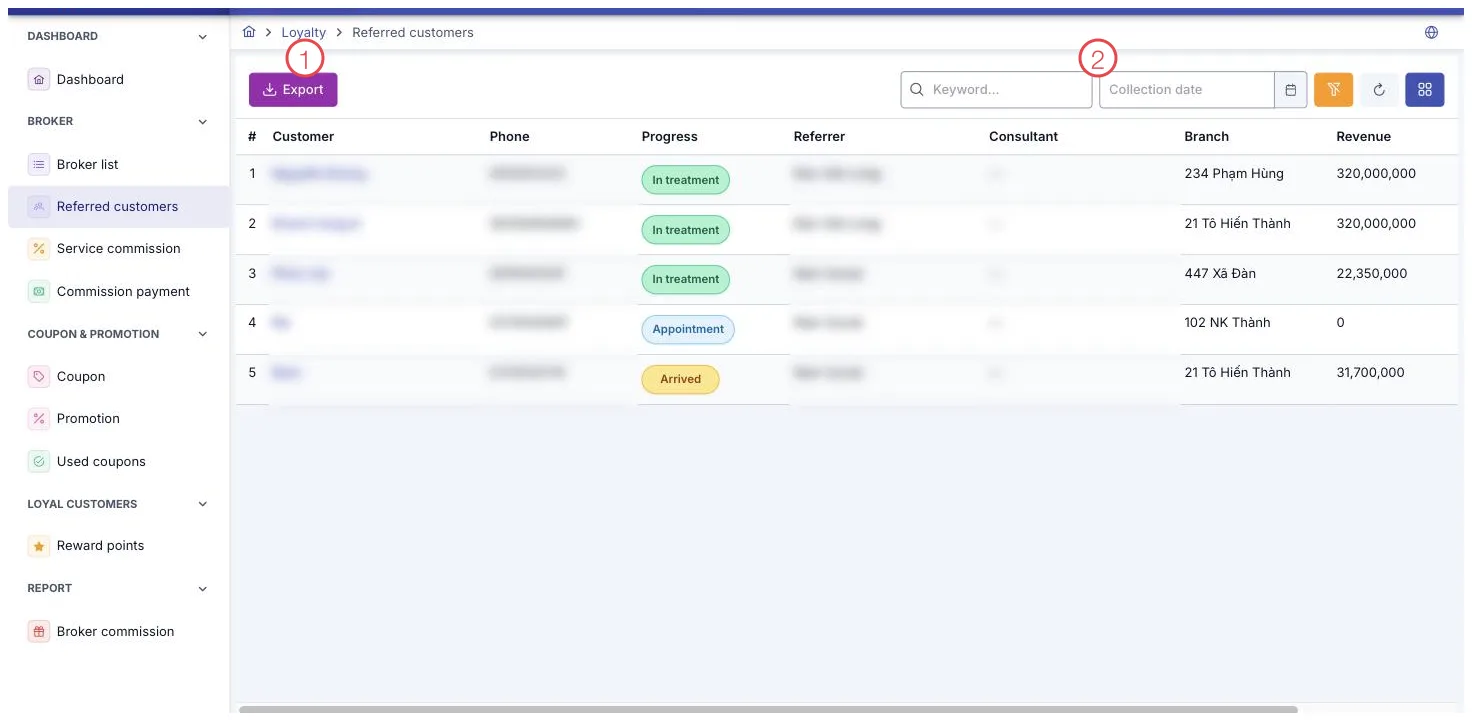
Illustration of the Referred Customers screen
| Area | What it is |
|---|---|
| 1. Export button | Sends the list you are looking at to Excel. |
| 2. Search box and Collection date | Type a name or phone number to find someone, or narrow the list to a date range. |
This screen is view-only
The toolbar only has an Export button to send the list to Excel — there's no create, edit, or delete, and no buttons at the end of any row. This list always shows only customers (patients) with a referrer, which is exactly its purpose; to see every customer at the clinic, including those without a referrer, go to Customer Detail.
Search and filter
The filters are Keyword and Collected Date (a date range), to narrow the list by when the customer was recorded as referred.
What some columns mean
| Column | Meaning |
|---|---|
| Progress | The customer's status, identical to the status shown on their own profile. |
| Referrer | The name of the broker who referred this customer. |
| Revenue | The total amount this customer has paid so far. |
Two ways a customer (patient) gets linked to a broker
- Selecting the Referrer field directly on the customer's profile.
- When a treatment order applies a coupon that belongs to a broker, that order is credited to the broker who owns the coupon — the coupon wins over whatever referrer was already set on the profile. This is worth remembering when a customer's referrer seems to change even though nobody edited their profile.
Filter by a Collected Date range and look for the Referrer name that repeats most often — that's the broker bringing in customers (patients) most consistently.
Related
- Broker List — each broker's profile and commission rate.
- Service Commission — the commission generated from these customers.
- Customer Detail — a customer's full profile.