Adding a Referral Partner
A referral partner is someone who sends customers (patients) to the clinic and earns commission when those customers pay — an outside doctor, a former customer (patient) recommending friends, a trusted contact. Giving them a profile in the software is what makes every customer they send traceable, so nobody argues about the figures at payout time.
Opening the form
Go to Broker List and click the blue Create button on the toolbar, next to Export and Import.
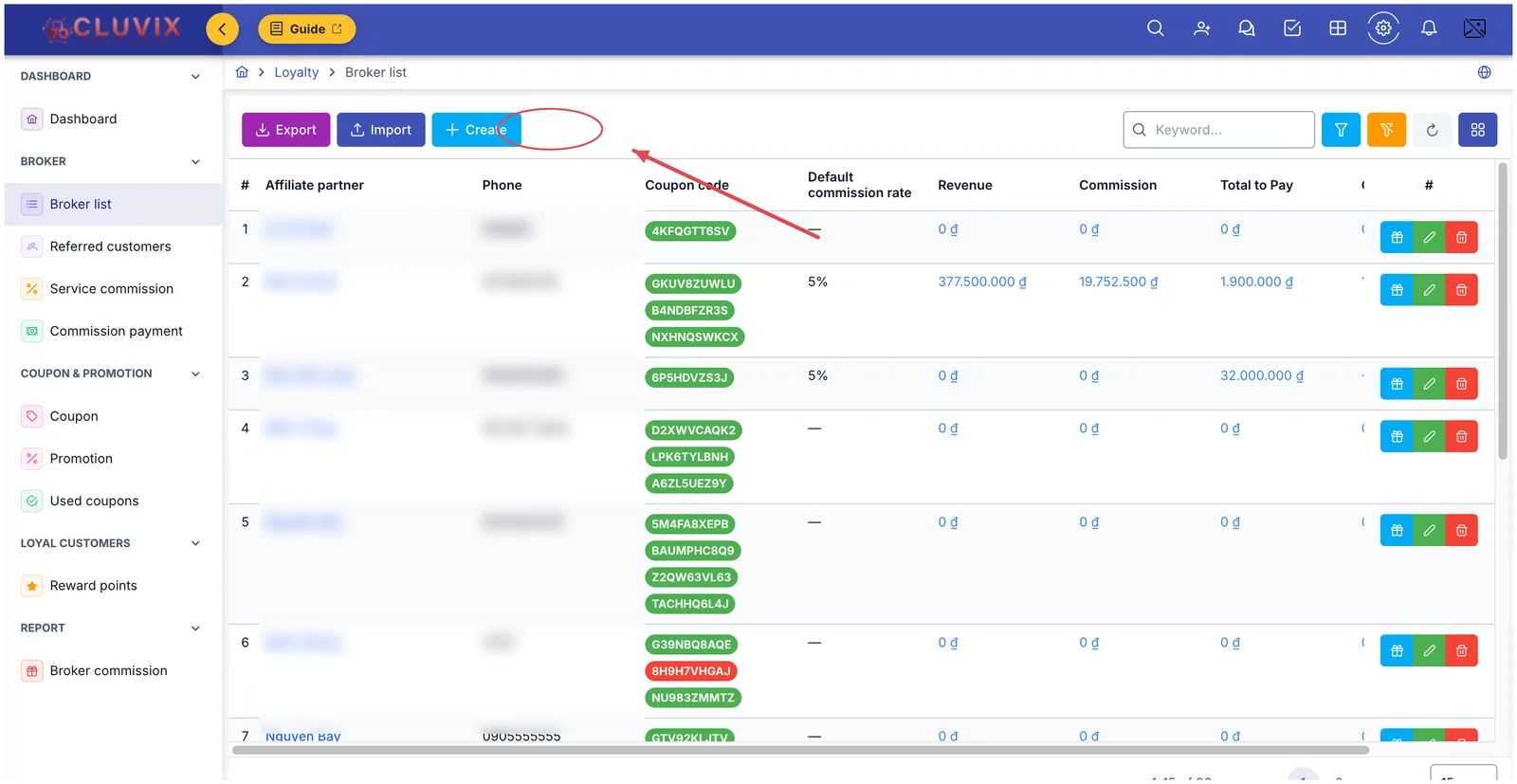
Illustration of the Create button on the Broker List screen
Filling in the partner's profile
The Create window opens. The parts worth knowing are numbered in the picture:
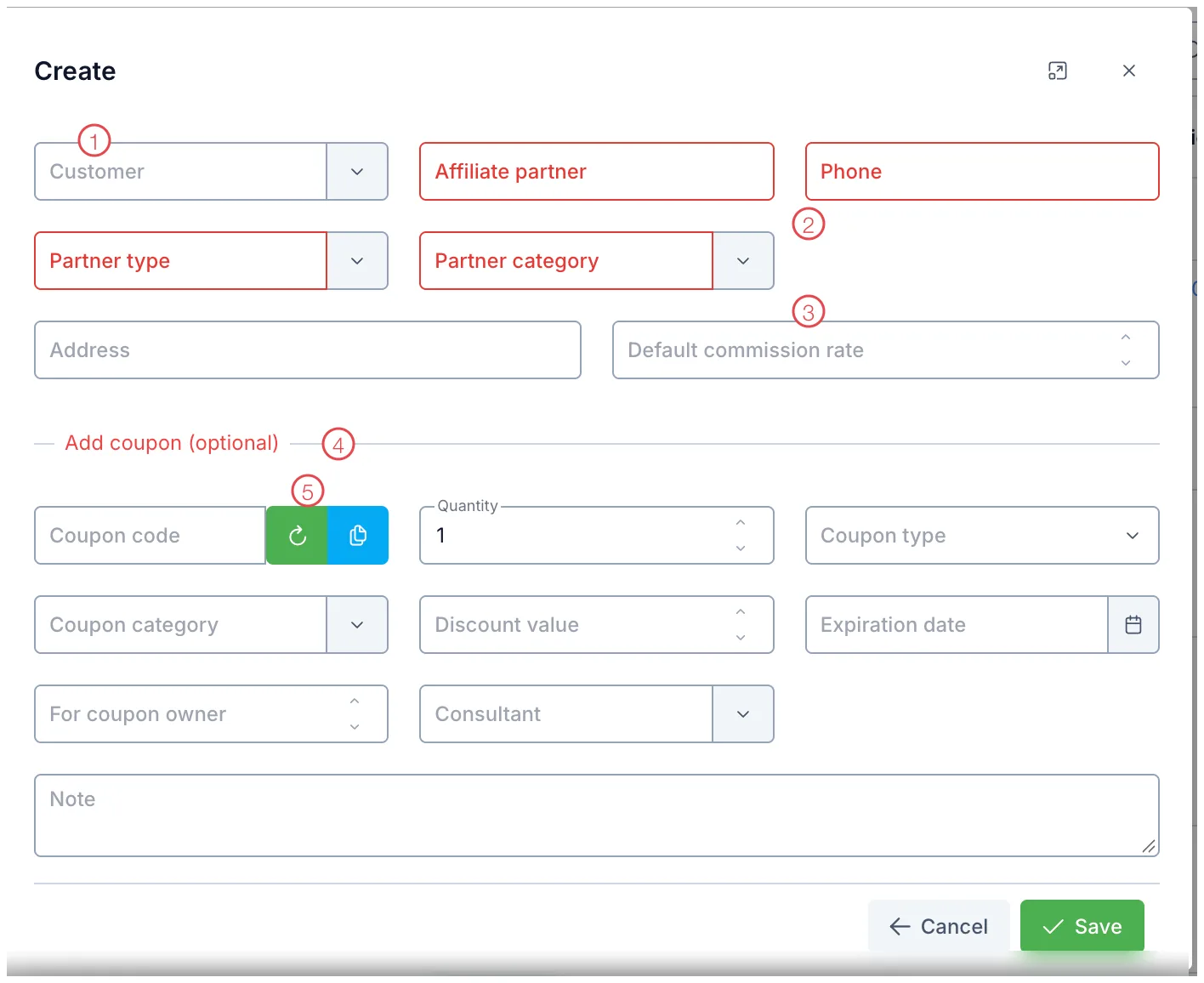
Illustration of the Create partner form
| Area | What to enter |
|---|---|
| 1. Customer (Patient) | Type a name or phone number to pick an existing customer, if the referrer is someone the clinic already treats. Leave it empty if they are not a customer. |
| 2. The four red fields (required) | Affiliate partner (name), Phone, Partner type, Partner category. Until all four are filled, the form will not save. |
| 3. Default commission rate | The percentage that applies when a customer they referred does not use a coupon code. Leaving it empty is fine — commission then comes only through coupons. |
| 4. Add coupon (optional) | Issue the partner their own coupon code while you are creating the profile. Skip the whole block if you don't need one. |
| 5. Generate and copy buttons | The green button generates a random code, the blue one copies it so you can send it to the partner. |
Click Save. The partner appears in the list straight away.
Within a brand, one phone number belongs to one partner. A duplicate warning means this person already has a profile — find them with the Keyword box on Broker List rather than creating a second one.
Customers (Patients) recommending friends are the best source of new customers you have. Selecting their profile in field 1 keeps their treatment history and their commission in one place, rather than two screens you have to cross-check.
Filling in the coupon block
Add coupon (optional) is optional, but touching any field in the block makes Quantity, Coupon type, Coupon category and Discount value required — the software needs that much before it can build a code people can actually use.
| Field | What to enter |
|---|---|
| Coupon code | Let the software generate one, or type a memorable code in capitals and digits. |
| Quantity | How many times the code may be used. |
| Coupon type and Discount value | Percentage or fixed amount, and how much. |
| For coupon owner | The commission percentage the partner earns when a customer uses this code. |
| Expiration date | Leaving it empty means the code has no end date. |
Issuing another coupon later
For a partner who already exists, you do not have to edit their profile. On Broker List, click the blue gift button at the end of their row.
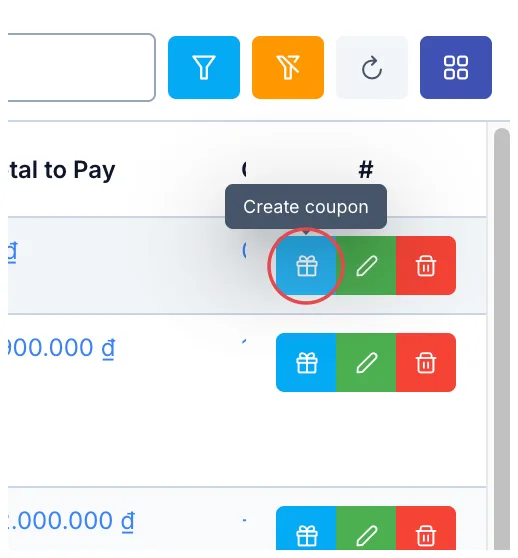
Illustration of the button that creates a coupon on a partner's row
The Add coupon window opens with that partner already attached:
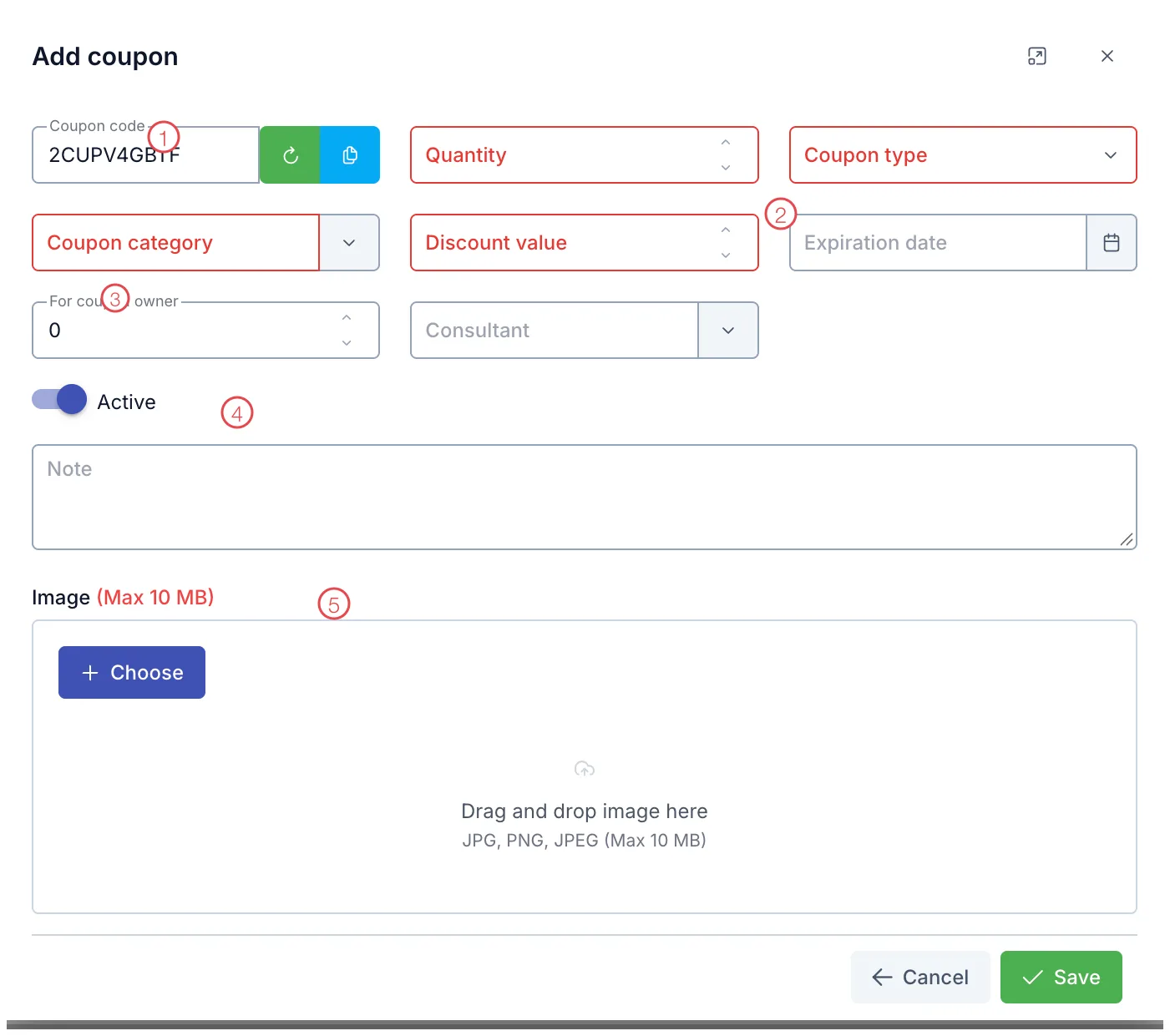
Illustration of the Add coupon form
| Area | What to enter |
|---|---|
| 1. Coupon code | The software has already generated one. The green button generates another, the blue one copies it. |
| 2. The four red fields (required) | Quantity, Coupon type, Coupon category, Discount value. |
| 3. For coupon owner | The commission percentage the partner earns each time a customer uses this code. |
| 4. Active switch | On means the code works immediately. Turn it off to prepare a code now and switch it on when the campaign starts. |
| 5. Image | The background for the referral card — the software prints the partner's name and code onto it so they can share it. Up to 10 MB. |
This is deliberate: changing the value of a live code would distort the figures on orders that already used it. To change the terms, create a new code, or duplicate the old one on Coupons and edit the copy.
Once the partner exists
- Send them the coupon code or the referral card to share with customers (patients).
- When a customer uses the code on an order, that order is credited to the partner who owns the code, even if the customer is linked to a different referrer.
- Commission builds up with each payment the customer makes — see Service Commission — and payouts are recorded on Commission Payment.
Related
- Broker List — where partners are viewed, edited and removed.
- Coupons — managing every code you have issued.
- Service Commission — commission as it arises, service by service.