Internal Discussion on a Record
Here is what an ordinary group chat cannot do: talk about one particular customer, with that conversation living on the customer's record. Three months later, open the record and it is all there — what the doctor asked for, who approved the discount, what the customer complained about last time.
Opening it from the record
On a customer record, next to the customer code, sits the Internal discussion button:

Illustration of the Internal discussion button
| Button | What it does |
|---|---|
| 1. Internal discussion | Opens the internal channel belonging to this record. |
Click it and the channel opens, already named after the record. The team chats in it like any channel — attach images, reply, mention each other.
The channel is staff-only. Nothing in it appears anywhere on the customer's side, so the team can be straightforward about the case, the price, the awkward situation.
Seeing every record discussion
In Internal Chat, the Record discussions filter gathers all of them in one place:
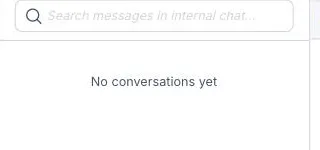
Illustration of the Record discussions filter
Each channel carries its record's name, so finding one by customer name is quick.
Difficult cases, complaints, anything where the doctor and the consultant must agree before answering the customer — open the internal channel on that record. The decision then lives with the data behind it.
Related
- Attaching a customer to a message — the other direction: dropping a record into a message.
- Chat channels — ordinary team channels.
- Internal Chat Overview — why discussions belong on the record.