When Does a Customer (Patient) Agree?
Agreed is the most valuable step in the customer journey: the customer has heard the consultation and decided to go ahead. The software cannot guess that, though — it waits for one specific action from you. This page follows a single customer (patient), from the moment their name first appears to the moment the journey turns to Agreed.
The short answer: the journey turns to Agreed when you check out a Consultation appointment and choose a status that says the customer closed.
Step 1: A new customer with no appointment (Patient)
The customer has just been created and has nothing booked. The journey reads Contact — or Lead if the sales team created them.
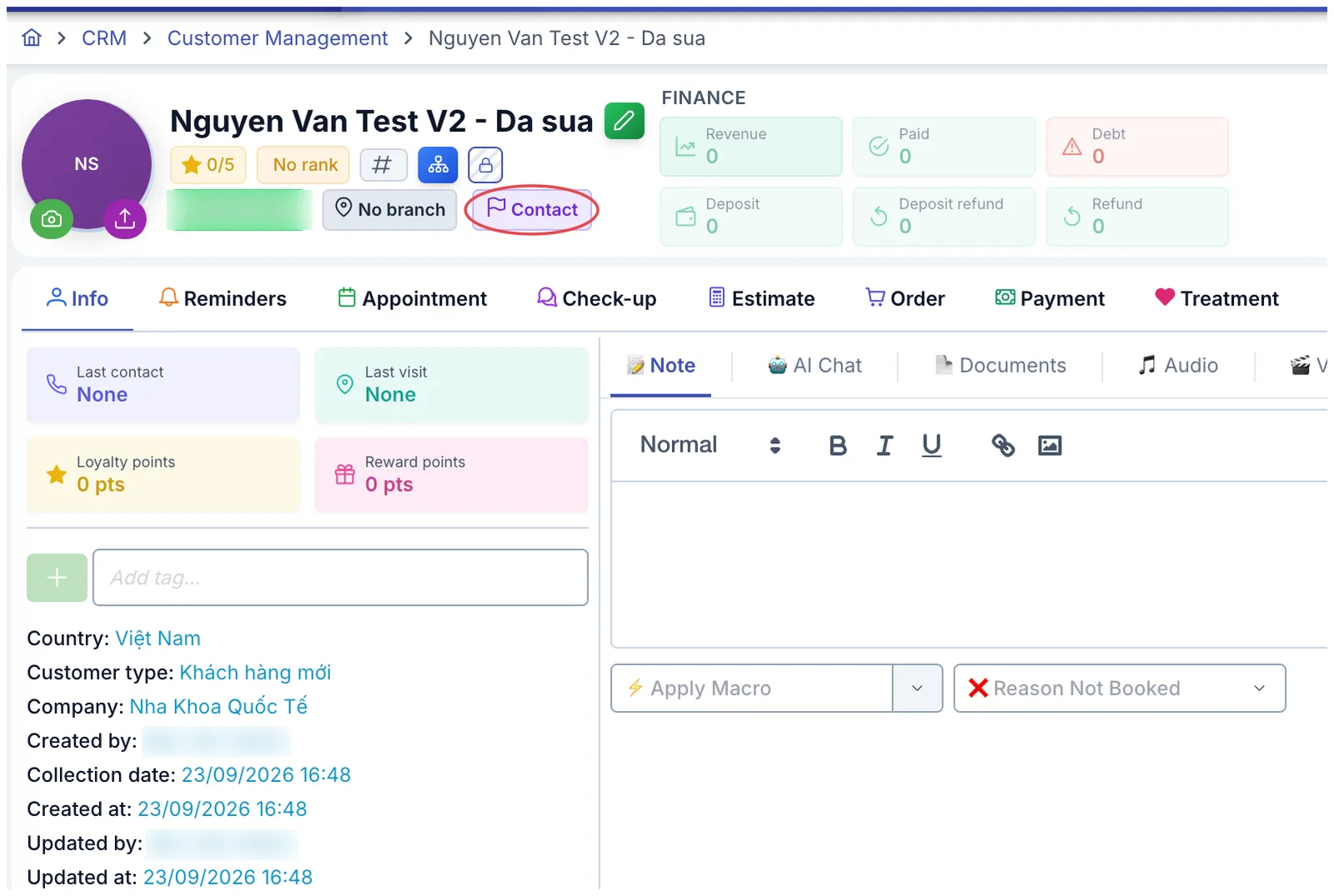
Illustration of a profile before any appointment
Step 2: Book a consultation
Open the Appointment tab in the profile and click Book.
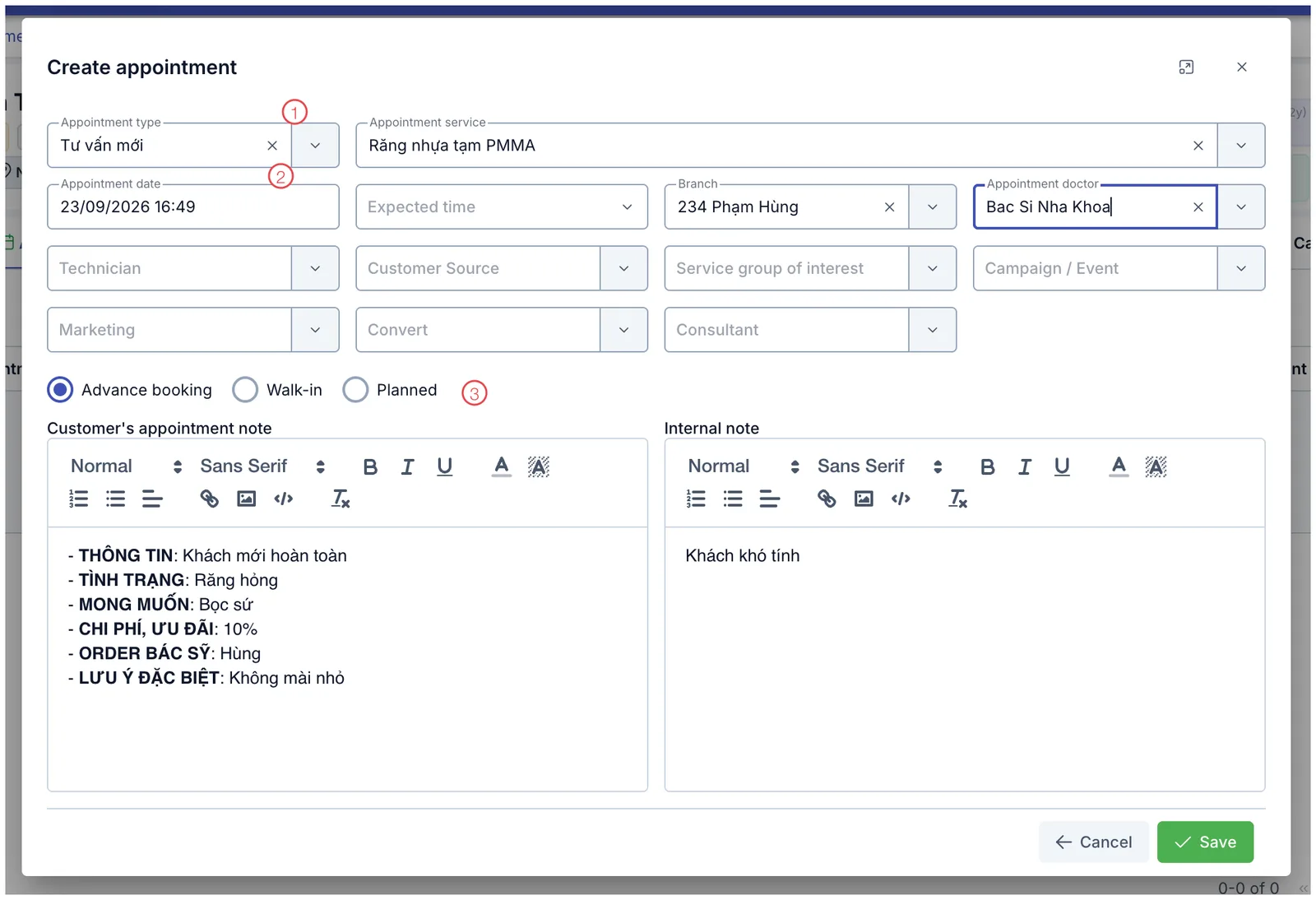
Illustration of the Create appointment form
| Area | What to enter |
|---|---|
| 1. Appointment type | Choose Consultation — this is what makes it possible to record whether the customer agreed. |
| 2. Appointment date | When the customer is coming in. |
| 3. Advance booking / Walk-in / Plan | Booked ahead, turned up on the day, or only pencilled in. |
Only a Consultation appointment carries the field that records agreement. Book it as Treatment, Follow-up or Warranty instead and that field is greyed out at check-out, so the journey stops at Arrived. If that happens, change the appointment type and check out again.
Once saved, the journey moves to Appointment.
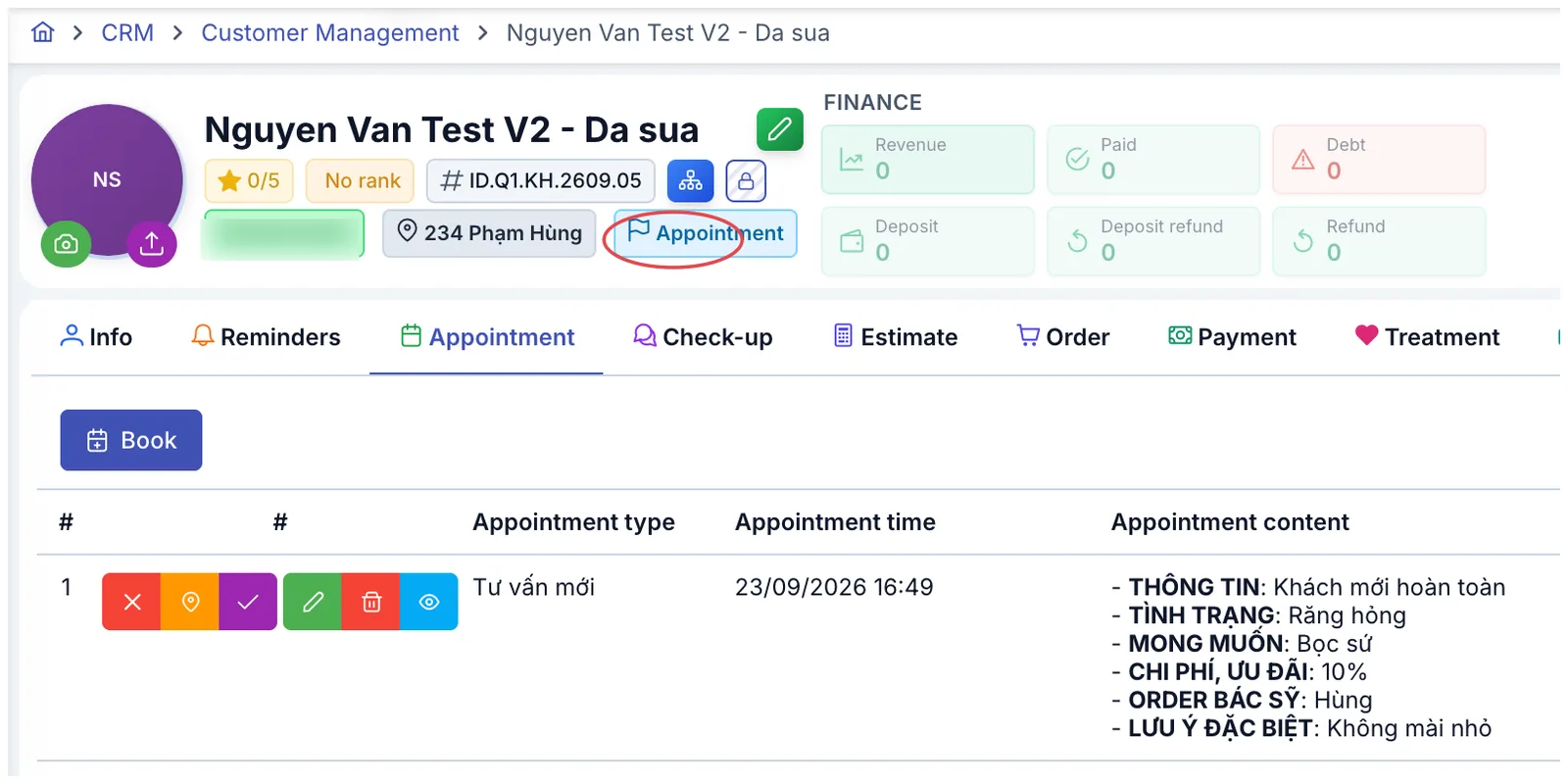
Illustration of the journey after booking
Step 3: The customer (patient) arrives — check in
When the customer turns up, click the orange check-in button at the start of the appointment row. The journey moves to Arrived.
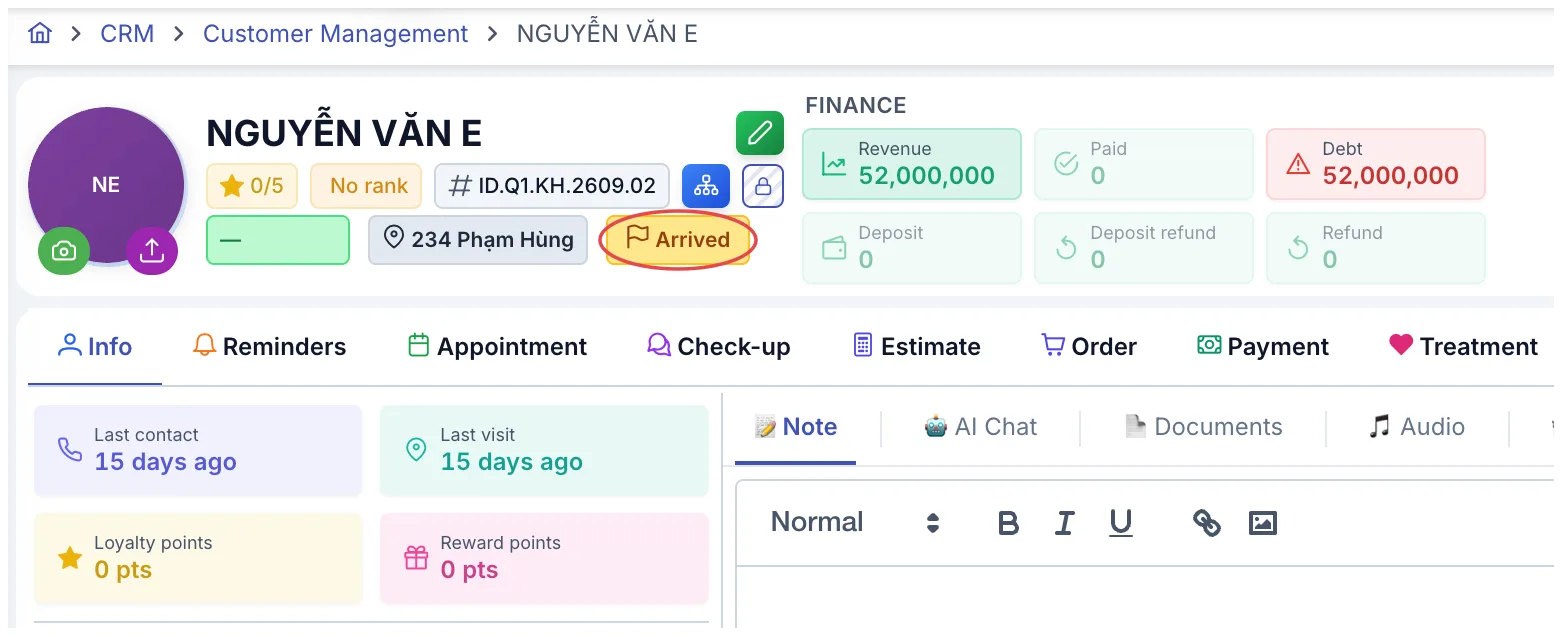
Illustration of the journey after check-in
At this point the software knows the customer turned up, but not yet whether they closed. That comes next.
Step 4: Check out and record the outcome
Once the consultation is over, open that appointment again. The Customer arrived window has two halves: check-in on top, check-out underneath.
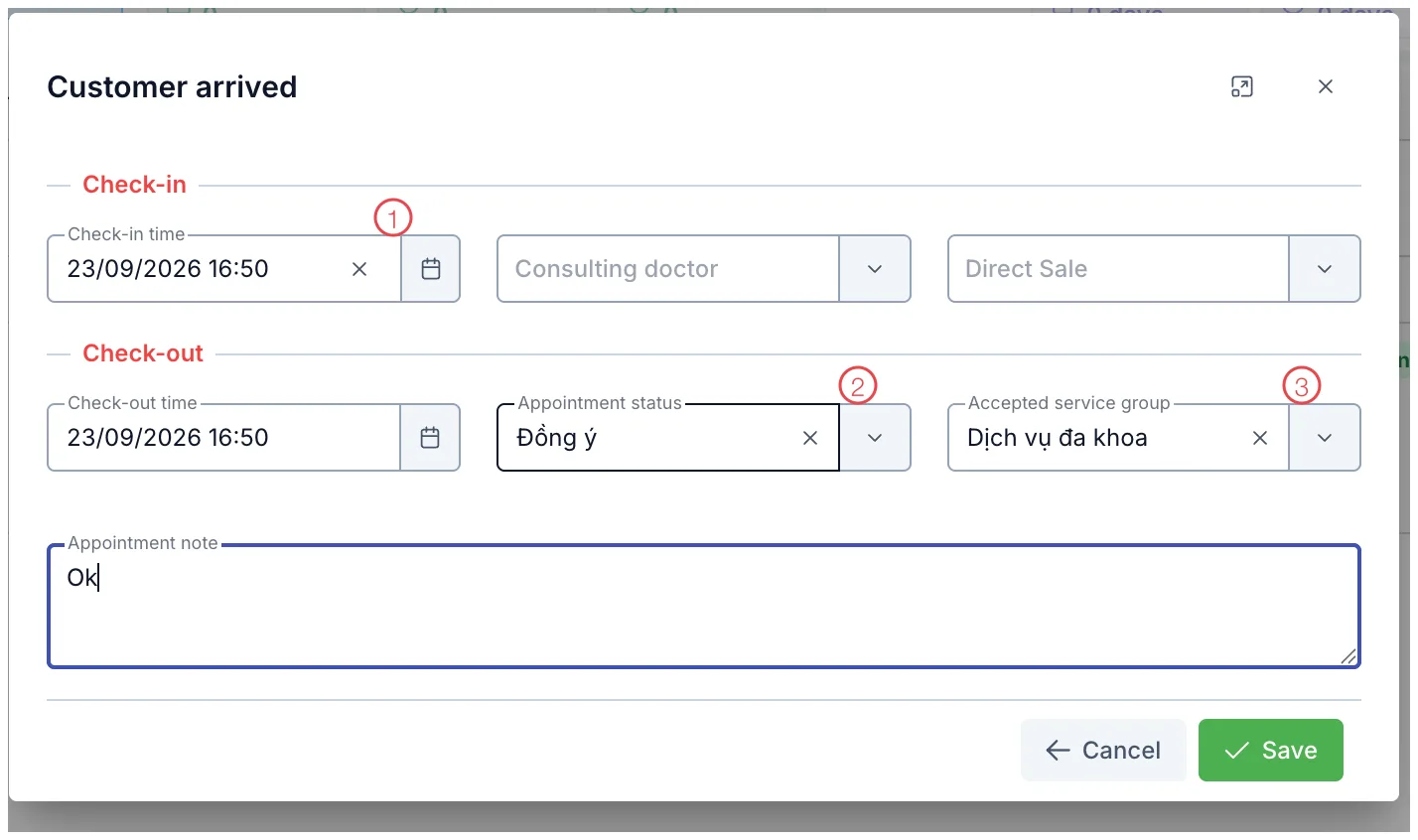
Illustration of the Customer arrived window
| Area | What it is |
|---|---|
| 1. Check-in time | When the customer arrived, already filled in from the previous step. This half also records the consulting doctor and how they were reached. |
| 2. Appointment status | This is the field that drives the journey. Record the outcome of the consultation — whether they closed, and if not, why. |
| 3. Accepted service group | Which group of services they agreed to. Recording it is how you know what a consultation actually sold. |
Click Save and the journey turns to Agreed straight away.
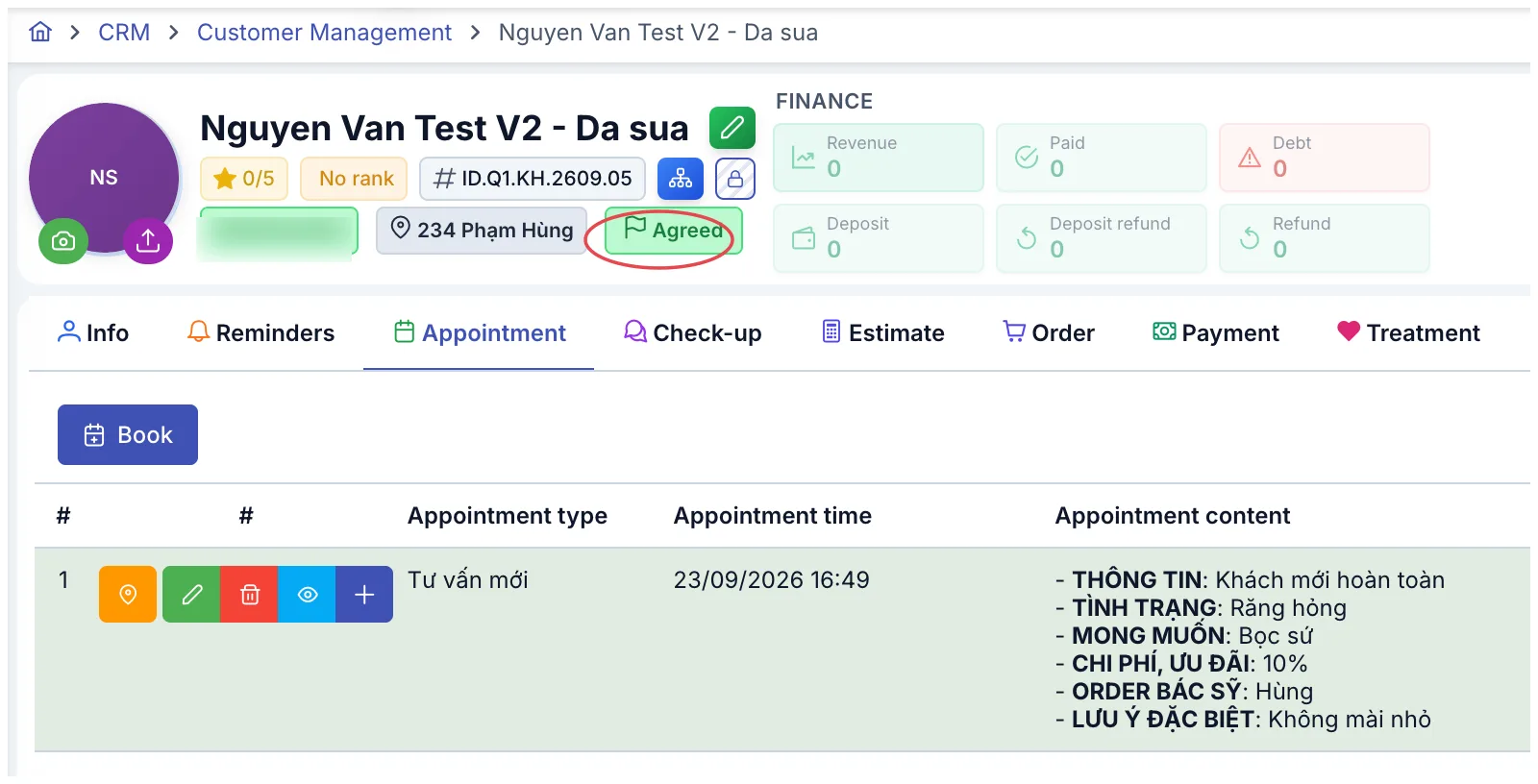
Illustration of the journey once agreement is recorded
What the Appointment status field offers
The list is defined by your own clinic in Settings, so it differs from place to place. The set that ships with a new installation is:
| Option | The journey becomes |
|---|---|
| Agreed | Agreed |
| Disagreed | Disagreed |
| Service is difficult · Customer (Patient) deposited · Postponed · Chose another service | Stays as it is |
Worth remembering: a name containing "agreed" is not what moves the journey. Each option in the list has its own switch called Counts as agreed in Settings — only an option with that switch on will move the customer to Agreed. Out of the box, only the Agreed row has it.
The four middle options leave the journey alone, but they are still saved on the appointment and still feed the close-rate report. Picking Postponed instead of leaving the field blank is how a clinic learns where it loses people — on price, on scheduling, or on the consultation itself.
You can add as many as you like — Agreed in part, Agreed to the package, whatever fits how you sell. Name them in Settings and turn on Counts as agreed for the ones you treat as closed, and the close-rate report will count exactly the way your clinic defines it.
When recording agreement does not move the journey
The software only updates the journey for customers (patients) still in the stages before closing. Anyone further along — Agreed, In treatment, Completed, Complaint, Collaborator — will not be pulled back by a new consultation.
That is the right behaviour: a regular coming back to discuss a second service is still a customer (patient) in treatment, not someone who has just closed. The appointment is still recorded in full, still updates last contact and last visit, and still counts towards the close-rate report.
What happens after Agreed
| What you do next | The journey becomes |
|---|---|
| Record the first treatment session | In treatment |
| Finish the whole course and collect the full amount | Completed |
Two different "Agreed" figures in the reports
When reading reports, note that there are two ways of counting and they do not match:
- The close-rate report counts appointments marked as agreed within the period. A customer (patient) consulted three times who closed twice counts as two.
- The customer status overview chart counts by the customer's current stage, and it is cumulative — the "Agreed" slice includes everyone who has moved further along (in treatment, completed). It is therefore always larger than the number of customers (patients) sitting exactly at Agreed.
Related
- The Customer Journey — every stage and what each one means.
- Check-in and Check-out — receiving customers (patients) at the desk.
- Create an Appointment — the fields on the booking form.